Tracking and consent
Measure sales with Meta, TikTok, Google Analytics, Google Ads and your own Google Tag Manager, with a cookie banner and buyer consent.
To find out which ads lead to ticket sales, connect your shop to Meta, TikTok, Google Analytics, Google Ads or your own Google Tag Manager. As soon as a service is switched on, your shop asks buyers for permission. Without consent, no pixel loads and we don't report purchases from our servers either.
Switch on a service
Open Marketing & tracking. Each service has its own card. Owners, admins and the marketing role can do this.
- Flip the card's switch. The fields open up.
- Enter the ID, for Meta for example the Pixel ID. Each field tells you where to find it in your account with the platform.
- Optional: With the access token, we also report purchases directly from our servers. That's more accurate, because ad blockers and browsers can't get in the way.
- Click Save.
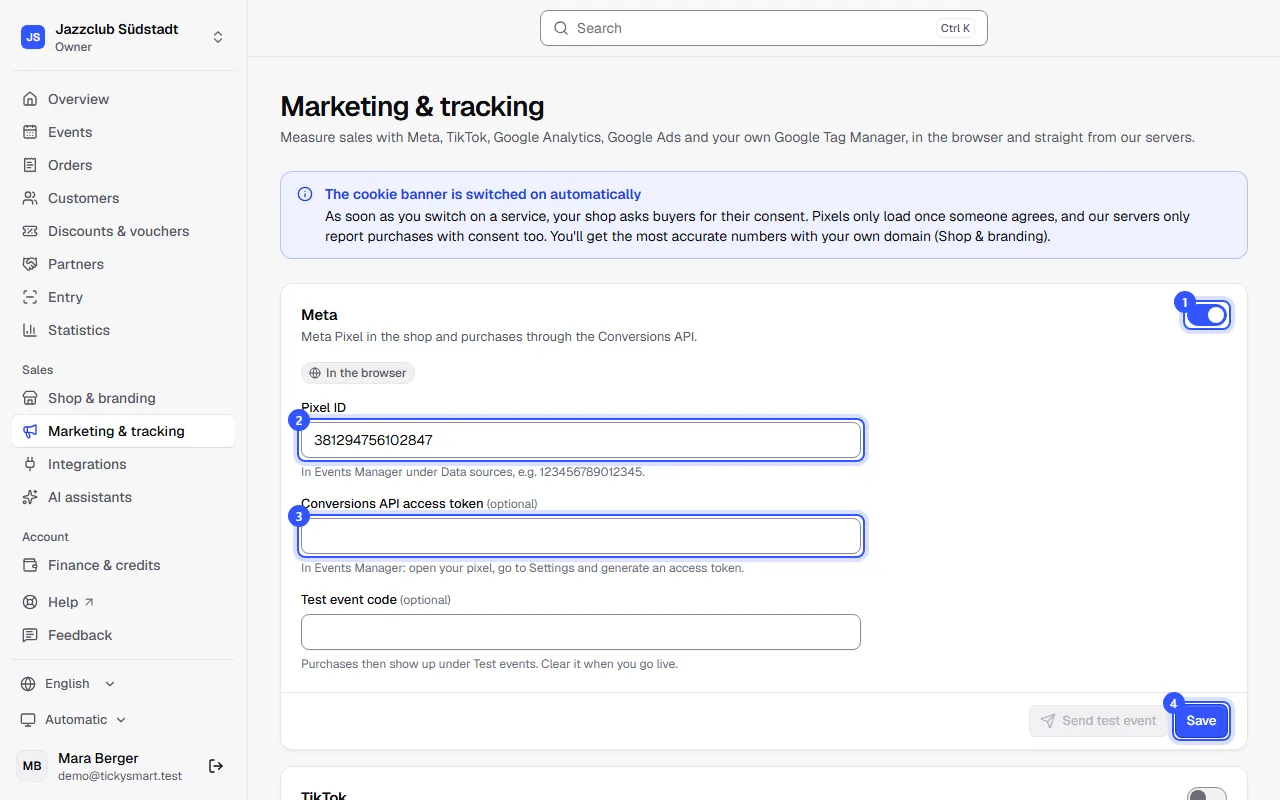
Each card that's switched on shows where the service runs: In the browser and, with an access token, From our servers. Send test event checks whether the platform accepts your details. When you switch a service off, it stops loading straight away. Your details stay saved.
| Service | What you need | What's measured |
|---|---|---|
| Meta | Pixel ID, optionally the access token | Meta Pixel in the shop and purchases through the Conversions API. |
| TikTok | Pixel ID, optionally the access token | TikTok Pixel in the shop and purchases through the Events API. |
| Google Analytics 4 | Measurement ID, optionally the API secret | Google tag in the shop and purchases through the Measurement Protocol. |
| Google Ads | Conversion ID and Conversion label | Purchase conversion in the browser, after consent to marketing. |
| Google Tag Manager | Container ID | Your own container. It receives every shop event, prices included. |
The cookie banner
As soon as a service is switched on, your shop shows the banner by itself. It names the services you use. Allow all and Necessary only are the same size, and buyers can buy tickets either way.
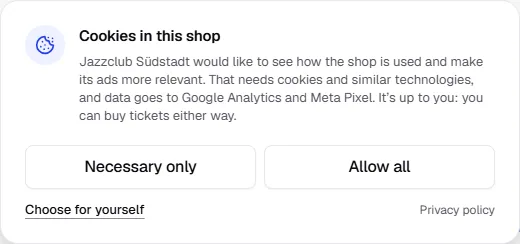
With Choose for yourself, buyers choose categories one by one. Google Analytics belongs to Statistics, Meta, TikTok and Google Ads to Marketing. At the bottom of every shop page, buyers can change their choice any time via Cookie settings. If they withdraw consent, we delete the services' cookies.
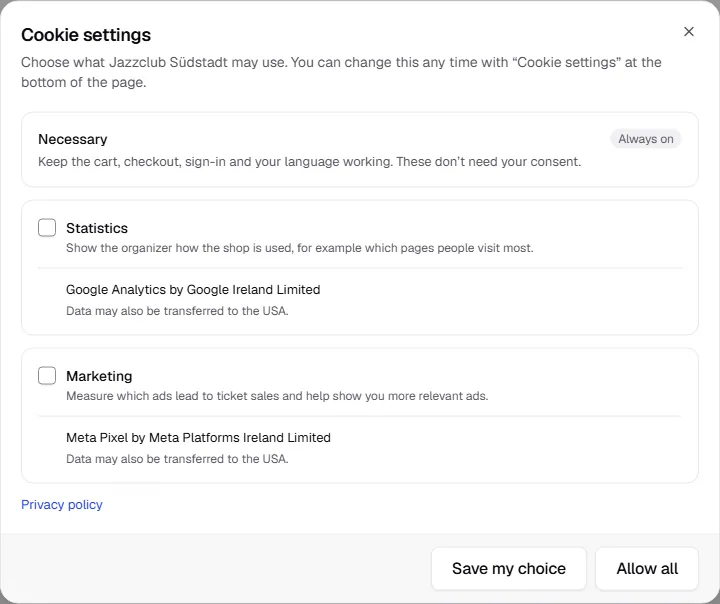
If you switch on another service, the shop asks buyers again. Otherwise a decision lasts about six months.
Purchases from our servers
At the bottom of the page you'll find Purchases from our servers. It lists the latest purchases we reported to the platforms.
| Status | Meaning |
|---|---|
| Sent | The platform accepted the purchase. |
| Skipped | The buyer didn’t consent, or the channel is no longer set up. |
| Failed | The platform rejected it. Check the ID and access token. |
| Waiting | The purchase is about to be sent. |
Common questions
Do I need the access token?
No. Without a token, the service only runs in the buyer's browser. With a token, we also report purchases from our servers, but only with consent.
I already use Google Tag Manager
Then enter the Container ID. Your container receives all shop events with ticket types, prices and currency. If Google Analytics already runs through your container, leave the Google Analytics card off. Otherwise every visit counts twice.
Does tracking work in the widget on my website?
No pixels load in the widget itself. Payment, however, happens in a new tab in your shop, where the banner asks as usual.
Do I need the banner for partner links too?
Partner links work without consent as long as someone buys during the same visit. For the shop to remember the partner for later, it asks visitors who arrive through a partner link as well. More under Partner links.