Booking fee
Charge buyers a fee per ticket for your whole shop, one event or one ticket type, and decide how prices are shown.
With a booking fee, buyers pay an amount per ticket on top of the ticket price. The fee goes to you in full, together with the ticket price, into your payment account. It has nothing to do with the fee you pay TickySmart: How you pay the TickySmart fee.
Default for your shop
Open Shop & branding and scroll to the Booking fee card. Owners and admins can change it.
- Fixed amount per ticket: a fixed amount in your currency, for example €1.00.
- Percentage of the ticket price: a share of the ticket price, added on top of the fixed amount. Up to three decimals are allowed. You can use either field or both.
- Prices include the booking fee (total price): When ticked, the shop shows the final price including the fee. When not ticked, the fee is shown separately. In many countries, prices shown to consumers must include all fees.
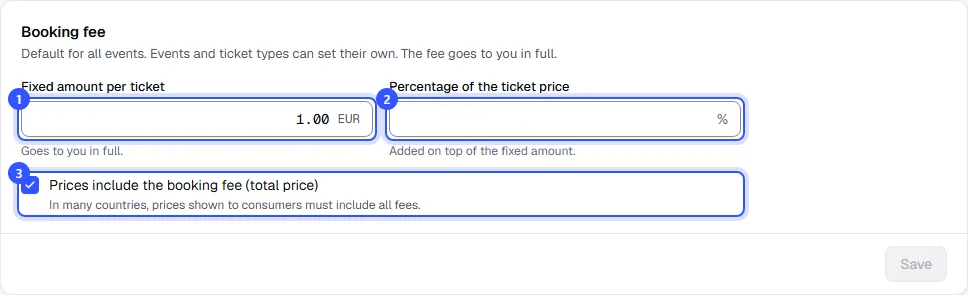
Click Save. The default applies to every event that doesn't have its own fee.
An example: if a ticket costs €28.00 and you charge €1.00 plus 2%, the buyer pays a €1.56 fee, €29.56 in total. We round to the smallest unit of your currency.
A separate fee for one event
Open the event, go to Details and find the Prices card.
- Tick Own booking fee and enter the fixed amount and percentage. Without the tick, the shop default applies; it's shown below the checkbox.
- Under Show prices, decide whether this event shows prices with or without the fee, or leave it at As in the shop.
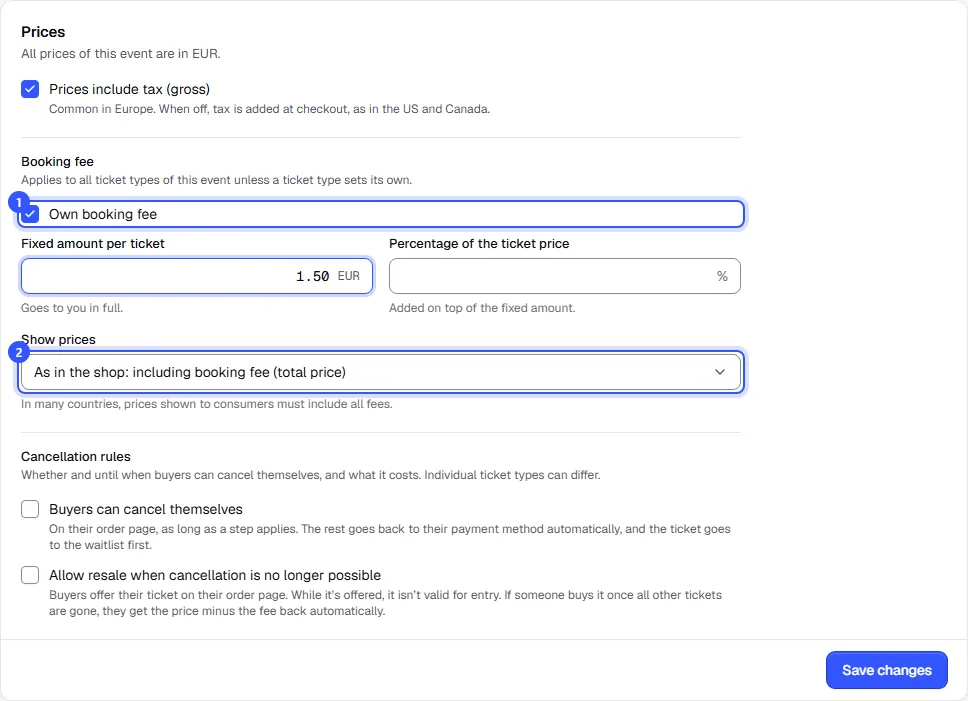
Finally, click Save changes.
A single ticket type can have its own fee too. You'll find it in the ticket type dialog under Fee and cancellation: Sales period and limits.
Which fee applies
- The most specific level always wins: ticket type, then event, then shop. The fixed amount and percentage belong together; they're never mixed across levels.
- Free tickets have no fee.
- If a discount code lowers the ticket price, the percentage part of the fee goes down with it.
- Vouchers that buyers purchase in your shop carry no booking fee.
- The fee belongs to the ticket and uses its tax rate: Taxes.
What buyers see
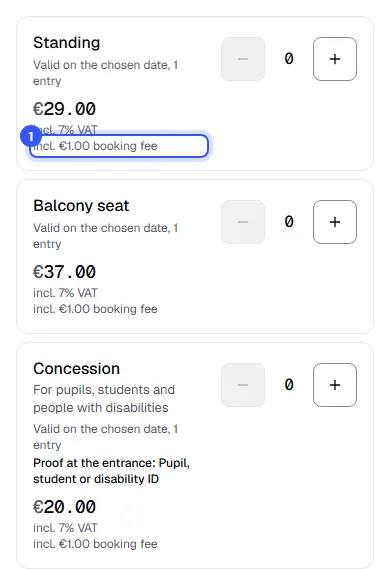
In the shop, each price says how much fee is included or added, for example "incl. €1.00 booking fee". At checkout, the fee is a separate line above the total.
Common questions
Do buyers get the fee back when I refund?
If you cancel in the dashboard with Ticket price, the ticket price and fee go back. With a custom amount, you decide: Cancel and refund. If buyers cancel themselves, you set in your cancellation rules with Also refund the booking fee whether the fee is refunded too.
Can I turn off the fee for one event completely?
Yes. Tick Own booking fee for that event and leave both fields at 0.
Do I have to show prices including the fee?
That depends on your country. In many countries, prices shown to consumers must include all mandatory fees. We leave the choice to you and don't give legal advice.
Can I see how much I've earned from booking fees?
Yes, under Statistics and in the order exports.