Currencies
Which currency applies to ticket prices, bank transfer and the TickySmart fee, and which payment methods only work in certain currencies.
You can sell tickets in many currencies, such as euros, Swiss francs, British pounds, złoty, kroner or US dollars. Your workspace's currency applies to your ticket prices and to billing with TickySmart.
Your workspace's currency
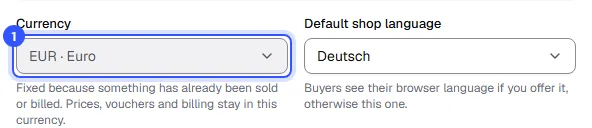
You choose it when you create the workspace. Later, you'll find it under Settings → General.
- Currency: When you create a workspace, we suggest your country's currency, but you can pick any other.
What the currency determines:
| What | Which currency |
|---|---|
| An event's prices | The workspace currency. It's shown in the Prices card. |
| Bank transfer | Your bank account's currency, which you set for bank transfer. Orders in other currencies can't be paid by bank transfer. |
| TickySmart fee | The workspace currency. Your prices, credits and invoices use it. |
Change the currency
Under Settings → General you can change the currency as long as nothing has been sold or billed. Your events, fixed-amount discounts and billing, with the prices in the new currency, then move with it. If the new currency has a different number of decimal places, such as yen instead of euros, the change only works while there are no events or discounts yet, since prices would otherwise be wrong.
Payment methods and currency
Some payment methods only work in certain currencies. At checkout, we only show the ones that fit the order.
| Payment method | Currencies |
|---|---|
| iDEAL, Bancontact, EPS, Satispay, KBC/CBC, Belfius | Euro |
| Przelewy24 | Euro, złoty |
| BLIK | Złoty |
| TWINT | Swiss franc |
| MobilePay | Danish, Norwegian and Swedish krone, euro |
| Swish | Swedish krona |
Card, PayPal, Klarna, Apple Pay, Revolut Pay and Amazon Pay work in the currencies your provider supports for your account. If you've connected PayPal directly, only PayPal's currencies work, including euro, franc, pound, złoty, krone and krona, forint, dollar and yen; in other currencies PayPal doesn't show up at checkout. With bank transfer, the QR code for banking apps is only available for transfers in euros.
How amounts look
We show amounts in the format of the language and currency, for example €1,234.50 in English or 1.234,50 € in German. Internally we always calculate in the currency's smallest unit, such as cents or pence, so there are no rounding errors.
Common questions
Can I sell one event in a different currency from the others?
Not in the same workspace, because every event takes over the workspace currency. Create a separate workspace for each currency, which keeps billing clean too: Several workspaces.
Are there prices for my currency?
Most currencies have rounded prices, for example in Swiss francs, pounds, krone or złoty. If yours doesn't, you'll see a note under Finance & credits, and we don't charge anything for your sales until there are.
In which currency do I receive the ticket money?
In the order's currency. Whether your payment provider converts it before paying it out to your bank account is something you set with them.