Age limit
Entry only from a certain age, for the whole event or single ticket types, confirmed at checkout and checked at the door.
For a club night, a party or a show for adults, you set an age limit. Buyers see it in the shop and confirm it at checkout, and your staff check IDs at the entrance. You decide which limit applies, depending on your country and the kind of event. TickySmart doesn't set one for you.
Set the age limit
Open the event and go to the General section under Details.
- Under Age limit, choose None or a limit of 12, 14, 16, 18, 20 or 21.
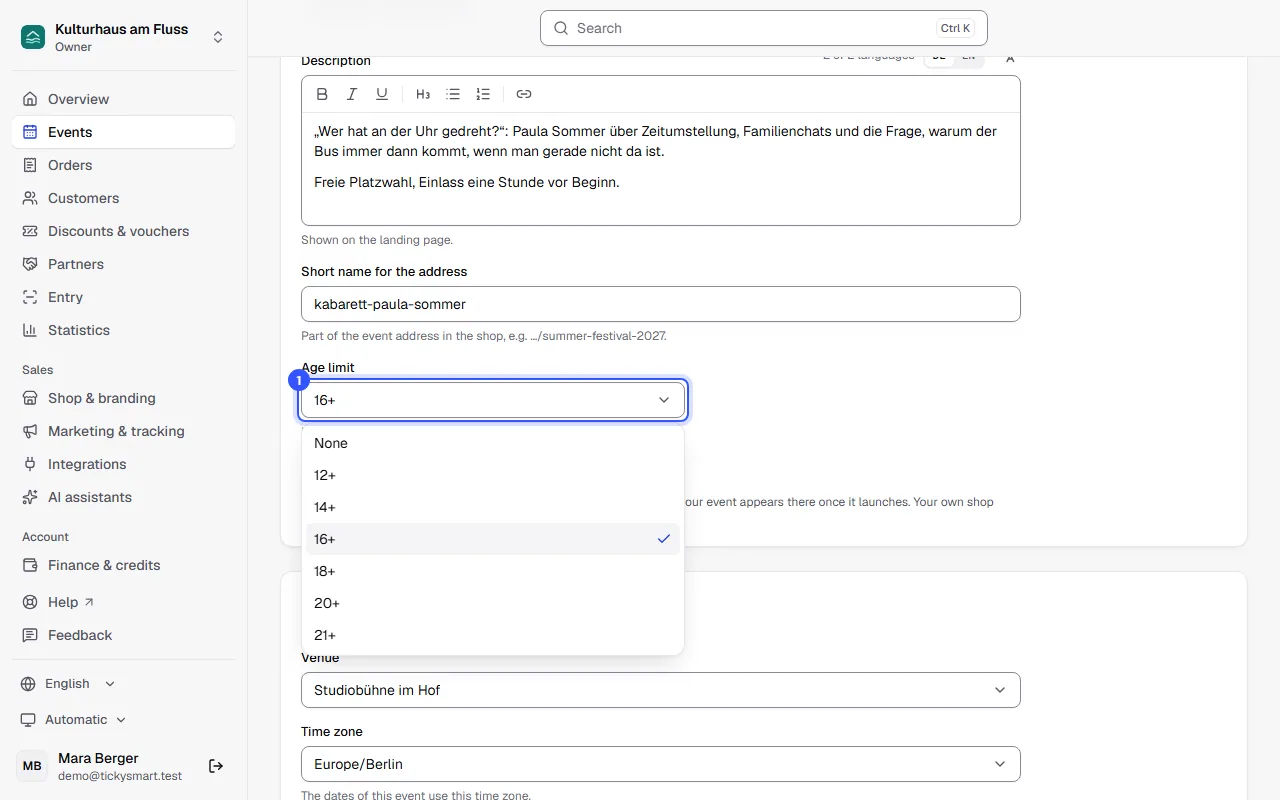
Save with Save changes at the bottom of the page. The limit applies to all ticket types of the event.
Different limits for single ticket types
A ticket type can have its own limit, for example a kids ticket without an age limit at a family festival, or an 18+ ticket for the backstage area. You set this in the ticket type, in the Entry section: same as the event, None or a limit of its own. More under Ticket types.
What buyers see
| Where | What |
|---|---|
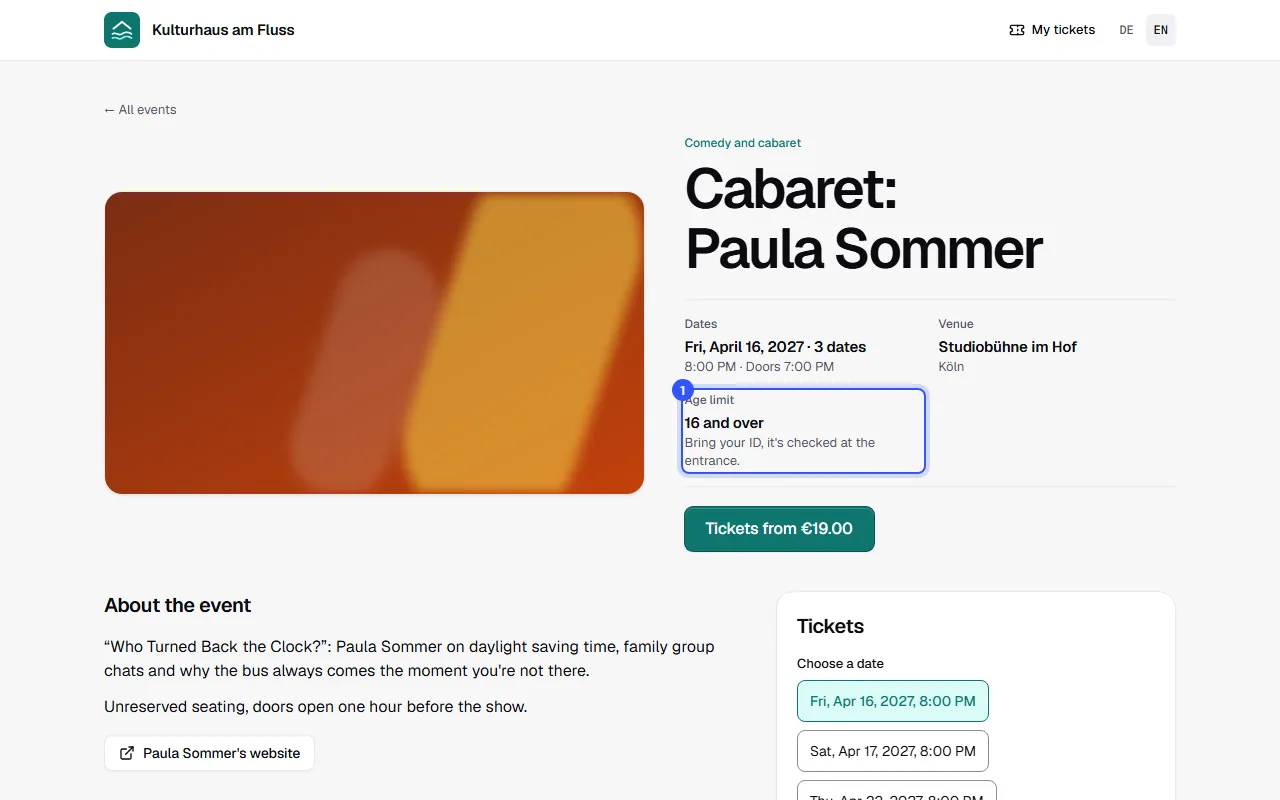
| Event page in the shop | Age limit with the note: Bring your ID, it's checked at the entrance. If a ticket type differs, it says so there. |
| Checkout | A checkbox they must tick to order: All ticket holders will be at least 18 years old on the day of the event. IDs are checked at the entrance. |
| Ticket | Entry from age 18 only. Bring an official photo ID, we'll check it at the entrance. |
If an order contains tickets with different limits, the buyer confirms the highest one. You then see Age confirmed in the order in your dashboard.
At the entrance
When a ticket with an age limit is scanned for the first time, the scan app asks staff to check the ID and shows the latest date of birth that's old enough. How that works is described in Age check.
Common questions
Which age limit do I have to set?
That depends on your country and the kind of event, for example youth protection rules and whether alcohol is served. We don't give legal advice. If in doubt, ask your local authority or an expert.
I need a limit that isn't in the list
The list shows the common limits. Any other whole number from 1 to 99 can be saved through the public API, and it stays selectable in the dashboard after that: Public API.
Does a changed age limit also apply to tickets already sold?
At the entrance, the current limit always applies, including to tickets sold earlier. Those buyers didn't confirm the new limit at checkout, though. If you introduce or raise a limit later, it's best to let them know yourself.
Can younger people come with an adult?
There's no built-in rule for that. Create a separate ticket type without an age limit and put the condition in its description, for example "only with an accompanying adult".