Event from a poster or flyer
Upload a photo or PDF of your poster; the AI reads dates, venue, line-up and prices and creates drafts.
Already have a poster or flyer? Then there’s nothing to type. Upload a photo or PDF and the AI reads the title, dates, doors, venue, line-up and prices. You see everything in a preview, choose what you want and get drafts. It’s free.
Upload a poster
- Open Events and click Import events. Or click Create event and then From a poster or flyer in the dialog.
- Choose Poster or flyer at the top.
- Drop the photo or PDF onto the area or click choose a file. On your phone you can take a photo of the poster right away.
- Click Read poster.
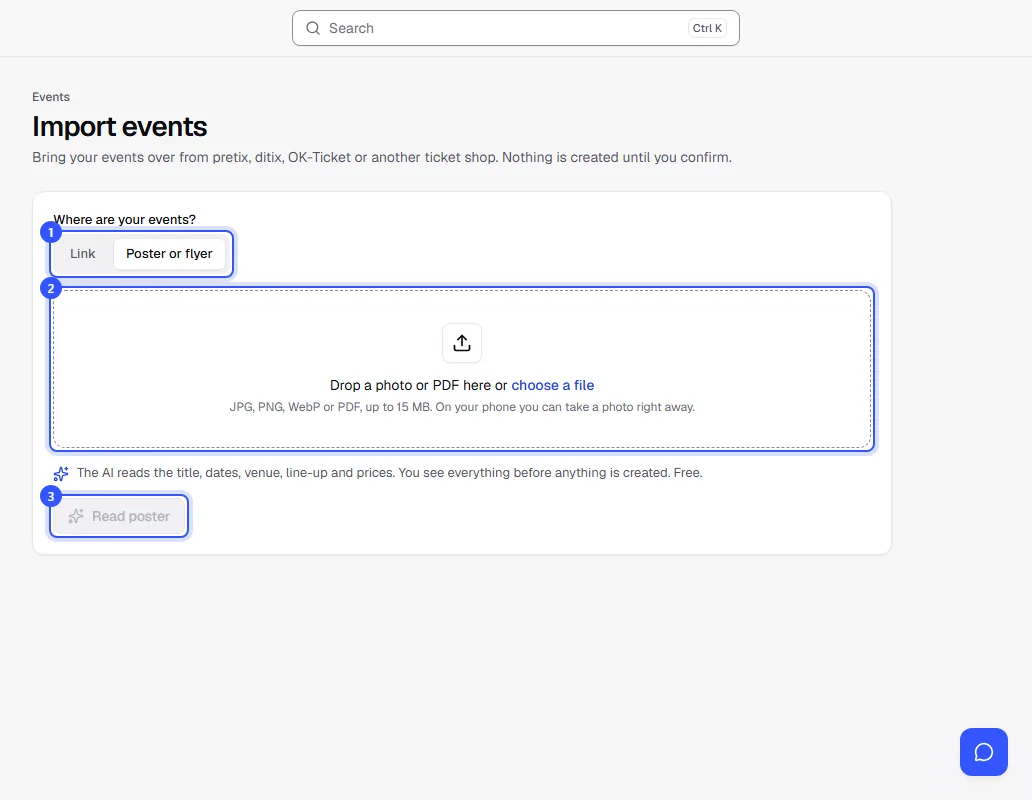
Reading usually takes less than a minute. You can leave the page; the preview will be waiting for you.
Check the preview and import
- At the top it says how many events the AI found on the poster.
- Expand an event and check the dates, venue, tickets and prices. Grey notes tell you what was missing from the poster, such as the time or the year.
- Tick These are my events. I’m allowed to use the texts and images. and click Import 1 event.
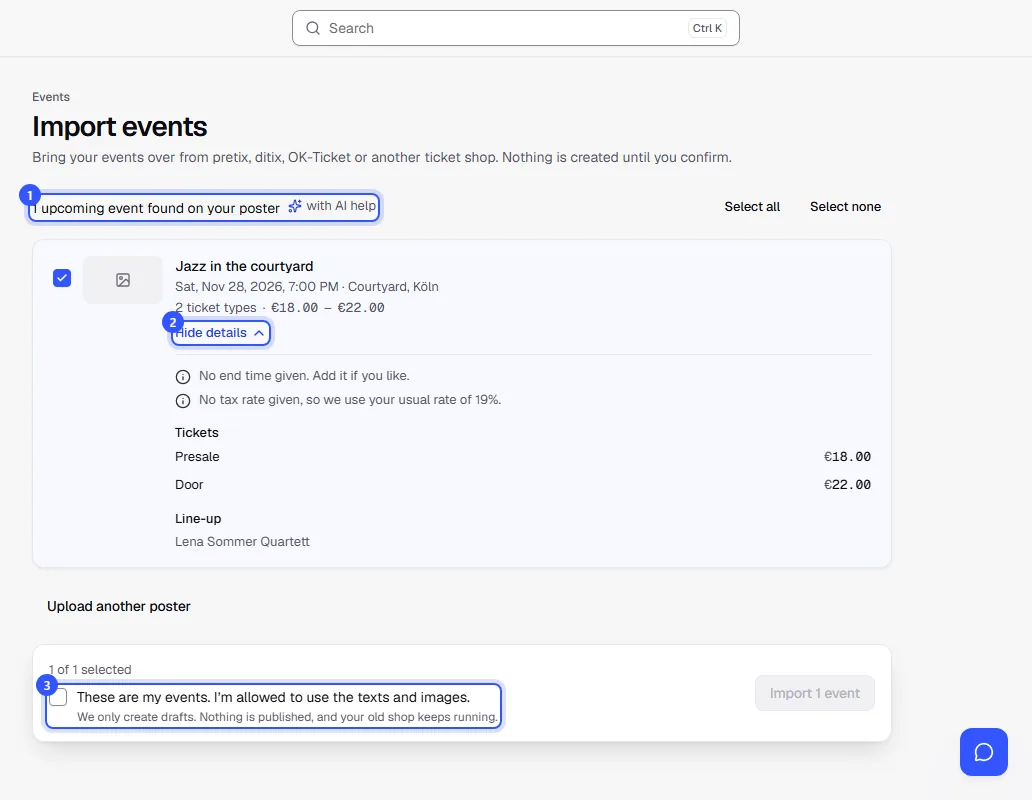
The events are then drafts. Add what’s missing, such as capacity and tax rate, and publish them when everything fits: Event details.
What the AI reads from the poster
- the title, dates with start, doors and end
- the venue with address
- who performs (line-up)
- prices, such as presale and door, as ticket types
- an age limit like “18+”
- a short text from what’s on the poster
If something isn’t on the poster, the AI doesn’t guess. Every detail has to be found on the poster. A programme flyer with several nights becomes several events.
Tips for a good photo
- The whole poster in the picture, straight from the front, without reflections.
- Bright and sharp beats small and dark. A PDF from your design software is best.
- Up to 15 MB, as JPG, PNG, WebP or PDF.
Common questions
Does it cost anything?
No. Reading posters is free, just like switching from another platform, up to 5 runs a day in total.
What happens to my file?
We read it and then delete it. We suggest a photo of the poster as the cover image of the drafts, and you can replace it any time.
The poster has no year. What does the AI use?
The next matching day from today. The preview tells you when it did that. Check the date in that case.
Can I get an event from a website instead of a poster?
Yes. Choose Link and paste the address: Switching from another platform.