Cancel an event
Cancel a published event entirely. Sold tickets are refunded, open bank transfer orders are cancelled and buyers are informed.
If a published event can't take place at all, you cancel it. Sold tickets are cancelled and refunded, and buyers can get an email. If only one of several dates is off, cancel just that date: Reschedule or cancel a date.
Cancel the event
Open the event and click More actions → Cancel event. This option is only there for published events.
- At the top you see how many orders and tickets are affected, how much is refunded in total and how many orders are still waiting for a bank transfer.
- If Inform buyers by email is on, every buyer gets an email with a link to their order. Use Message to buyers to briefly explain why.
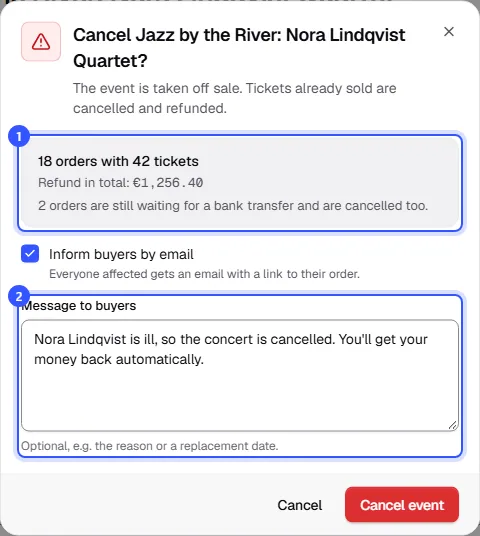
Click Cancel event.
A whole event is always cancelled with refunds. Cancelled events can't be scanned at the entrance anymore, so kept tickets would be worthless. If only one date is off, you can keep the tickets and move them to a new date.
What happens next
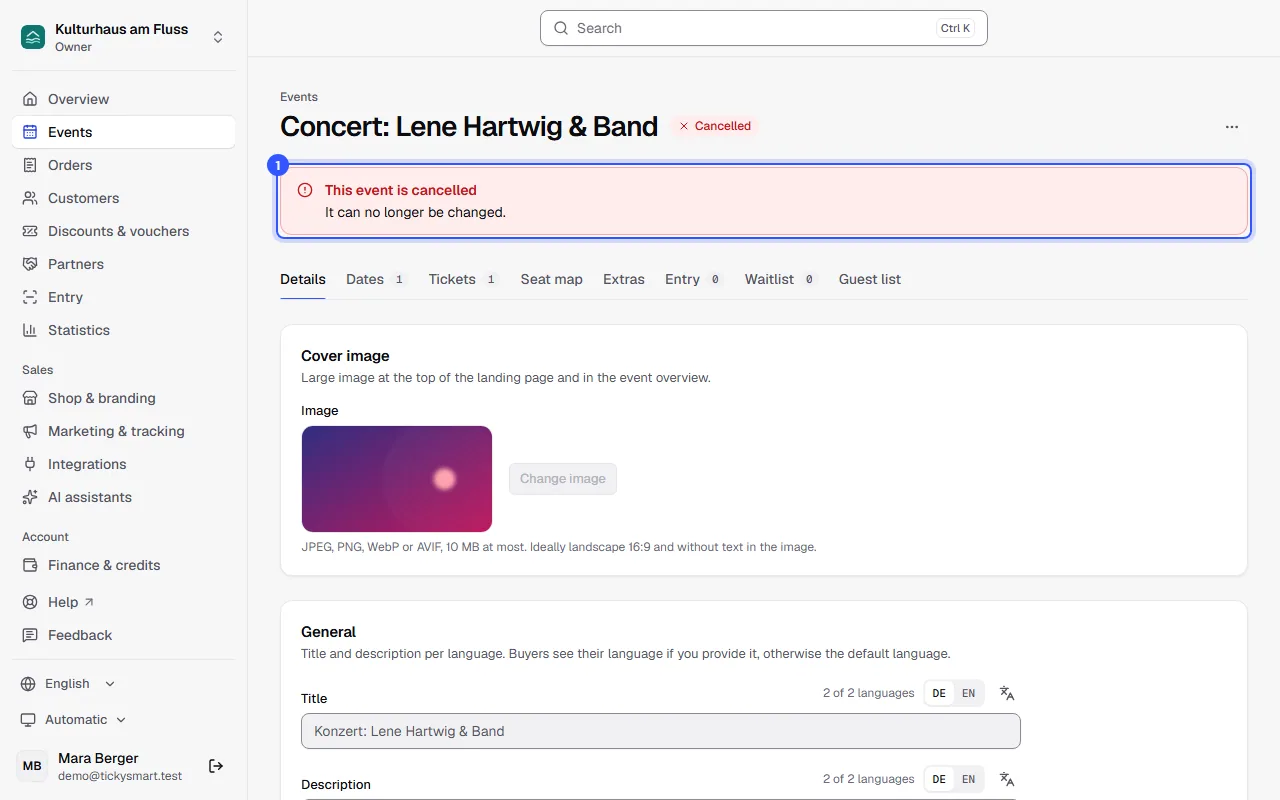
- The event is Cancelled and can no longer be edited. Its page shows This event is cancelled at the top.
- It disappears from your shop's overview. Anyone who still has the link sees on the event page: This event is cancelled.
- The money goes back automatically to the buyer's payment method, and the tickets become invalid. If a payment only comes through after the cancellation, it's refunded automatically too.
- If the buyer paid by bank transfer, you transfer the money back yourself and mark the refund as Refunded in the order.
- Orders still waiting for a bank transfer are cancelled. If Inform buyers by email is on, buyers are told by email not to transfer anything. If money arrives anyway, transfer it back; the payment can no longer be confirmed.
- If the event is part of a season ticket, the season ticket stays valid for the other dates and isn't refunded. If Inform buyers by email is on, its buyers are told about the cancellation by email.
Drafts and events without sales
A draft doesn't need cancelling; delete it with Delete draft. A published event with nothing sold or reserved yet can be taken out of the shop with Back to draft. You'll find both under More actions as well. To cancel several events at once, use the event list: Bulk actions.
Common questions
The event is still happening, just later
Then don't cancel; reschedule the date instead. The tickets stay valid and buyers get the new date by email: Reschedule or cancel a date.
Who can cancel an event?
Owner, Admin and Editor. If tickets have already been sold, it also needs permission to refund money, which Owner and Admin have. Without it, the dialog explains why and the event can't be cancelled.
Do I get the TickySmart fee back?
Yes. If you pay with credits, you get the credits for refunded tickets back. If you pay as you go, we take them off your next invoice.
Can I offer a cancelled event again?
Not the same event, but a copy of it. On the cancelled event, choose More actions → Duplicate, add new dates in the copy and publish it: Duplicate or repeat an event.