What buyers can do
Your buyers' order page with tickets, PDF and wallet, names on tickets, cancelling under your rules and "My tickets" without a password.
Every order has its own page in your shop. Buyers find their tickets there and handle a lot themselves, without having to write to you. They open it with the button in the confirmation email or through My tickets in your shop. They don't need an account or password.
The order page
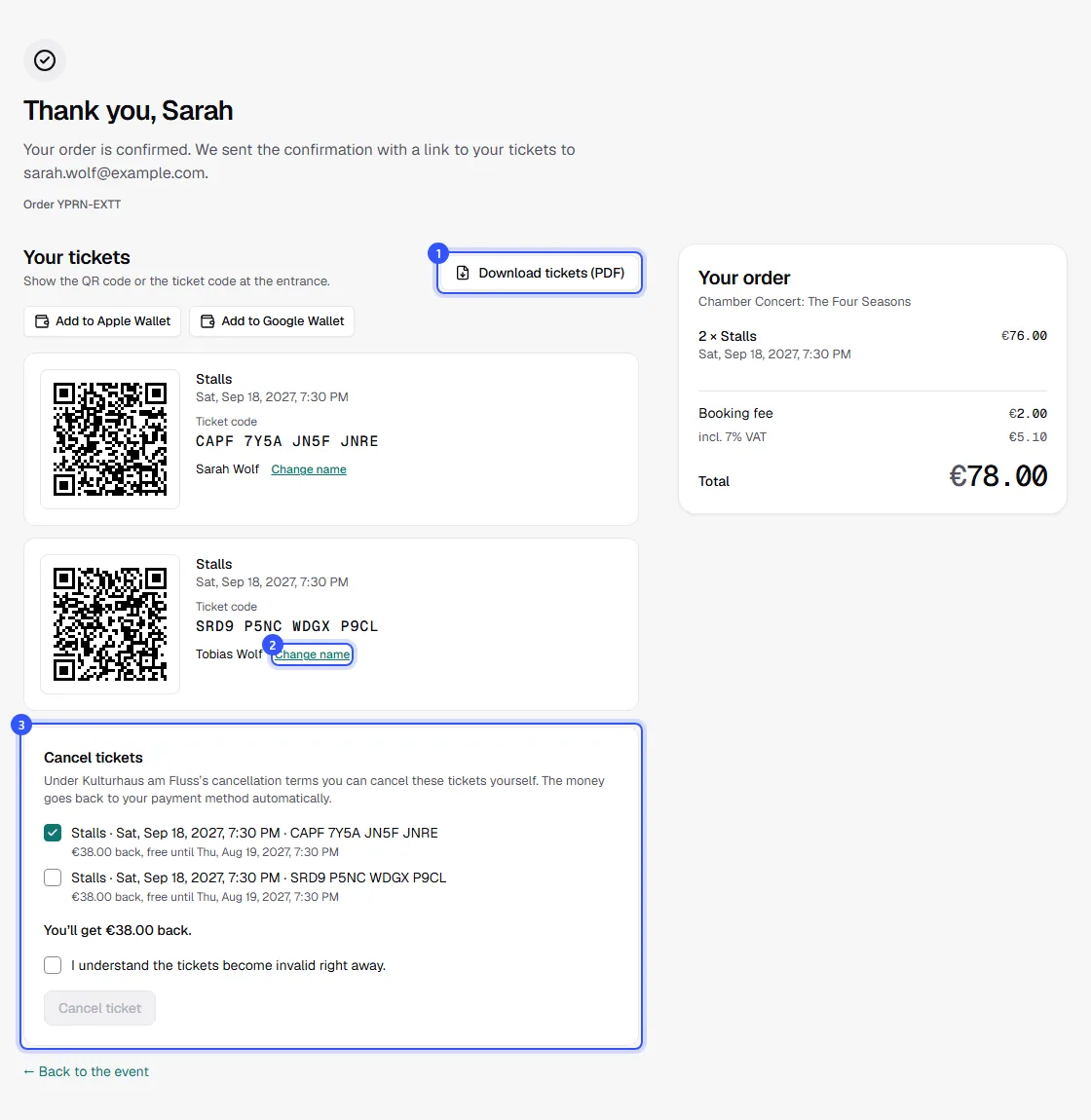
For each ticket, the page shows the QR code and ticket code to show at the entrance, the date and the name. Notes such as an age limit or proof needed for concession tickets appear right on the ticket. On the right, buyers see their order with all amounts.
- Download tickets (PDF) downloads all tickets in one PDF. Next to it, buyers save them to Apple Wallet or Google Wallet.
- Change name lets them enter a different name, more on that below.
- Cancel tickets appears when your cancellation rules currently allow it.
Names on tickets
If the ticket type uses names on tickets, each ticket shows Change name or Add name. That way a buyer can pass a ticket on to someone else. This works until the date starts and as long as nobody has entered with the ticket. At the entrance, the scan app shows the name.
For multi-entry tickets with a photo, this is also where buyers upload their photo. It's shown at check-in.
Cancel themselves
If you've set up cancellation rules, buyers pick tickets in the Cancel tickets section. They see how much they'll get back and until when that applies. Before cancelling, they confirm that the tickets stop being valid right away. The money goes back to their payment method automatically, and they get an email. The places go back on sale, to the waitlist first.
When cancelling is no longer possible, they can offer tickets for resale if you allow it.
My tickets
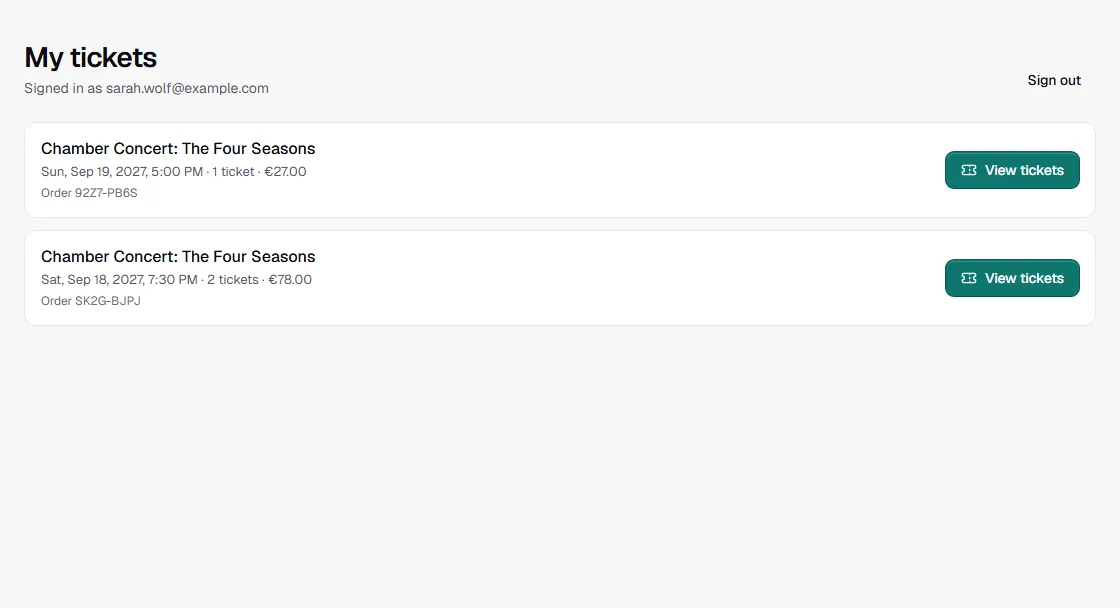
If buyers no longer have the email, they click My tickets at the top of your shop and enter their email address. They get a link that's valid for 30 minutes and works once. With it they see every order they placed with that address in your shop and open it with View tickets.
What you handle for buyers
Only your team can move tickets to another date, change the ticket type or correct the email address after the purchase: Change an order. At the bottom of the shop, Questions about your order? shows the contact details you've added for your shop.
Common questions
How long does the link in the confirmation email work?
For good. The button in the email opens the order again any time. Only the sign-in link from My tickets expires after 30 minutes.
Until when can buyers cancel themselves?
As long as your cancellation rules allow, for example until 7 days before the date. Without cancellation rules the section doesn't appear, and only you can cancel.
Do buyers see that a date was rescheduled?
Yes. The ticket shows the new date with a note of when it was before. They also get an email: Changes to a date.