Partner links
Give influencers, ticket outlets and clubs their own link, see clicks and sales, and settle commission.
Partner links show you who brings you buyers. Each partner gets their own link to your shop or to an event, for example a city magazine, an influencer or a local club. You see clicks, tickets sold and revenue per partner and, if you've agreed on one, the commission.
Create a partner
Open Partners. Owners, admins and the marketing role can create and change partners.
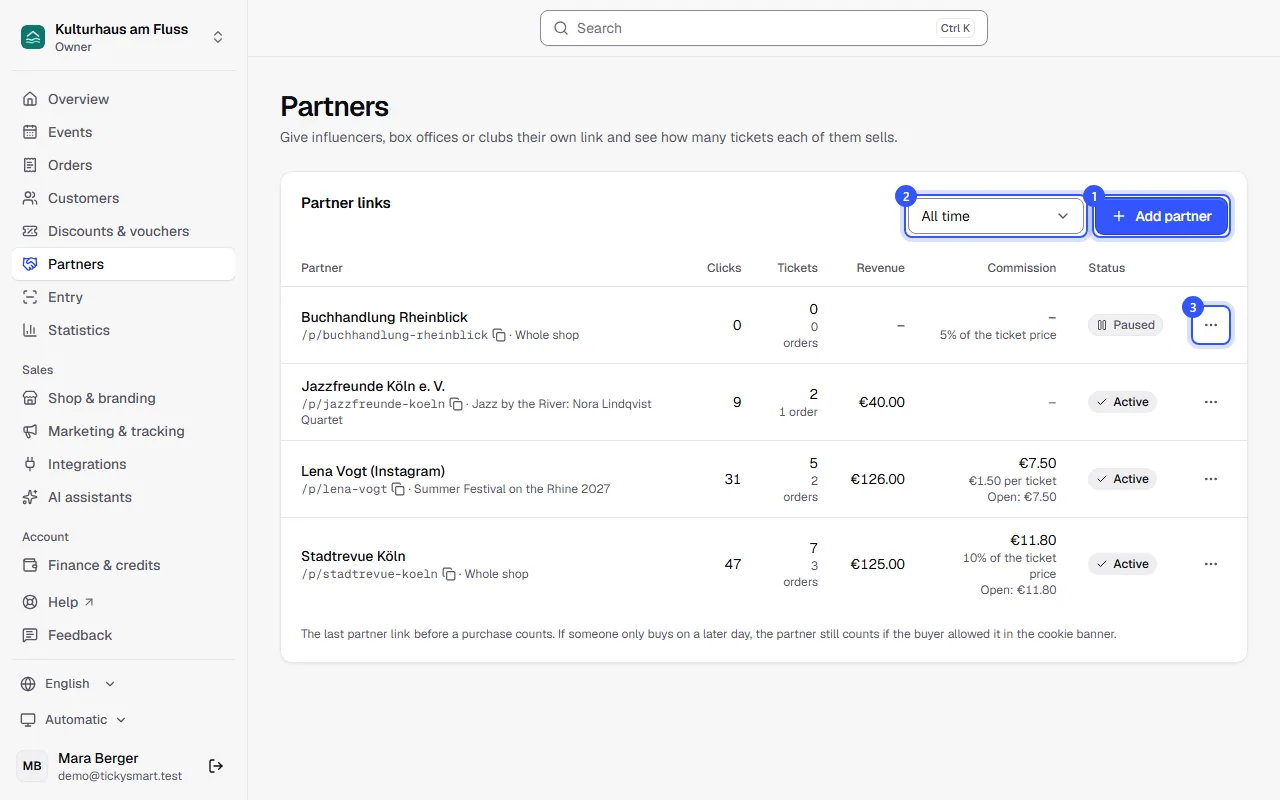
- Click Add partner.
- The selection next to it shows the figures for a period, such as Last month.
- The menu at the end of a row lets you copy the link and edit, pause or delete the partner.
In the dialog, enter:
- Name: How you recognize the partner in the list, for example "Max (Instagram)".
- Link to: A specific event or Whole shop. The whole shop counts for every event.
- Link: It's created from the name, and you can change it. The full address is shown below.
- Commission: No commission, a Percent of the ticket price or an Amount per ticket.
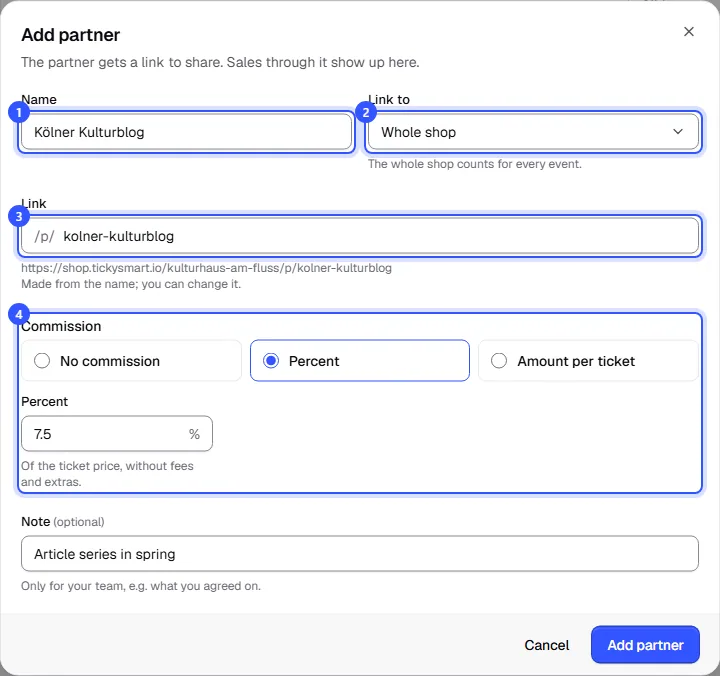
Click Add partner. The link is copied right away, ready to send to the partner. Only your team sees the Note, for example what you agreed on.
How it's counted
- A click on the link counts; link previews in messengers and search engines don't.
- The buyer lands on the event or in your shop. The partner travels with them through the shop to checkout.
- The last partner link before the purchase counts.
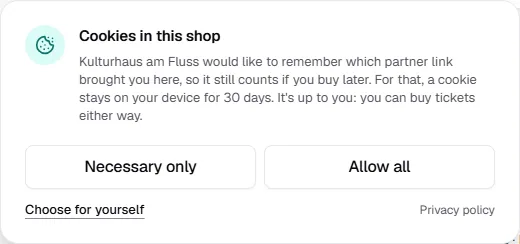
- If someone buys on a later day, the partner only counts if the buyer agreed in the cookie banner. The shop then remembers the partner for 30 days.
If your shop has no tracking, the banner only asks visitors who arrive through a partner link:
Paid orders and valid tickets are what counts. If a ticket is cancelled, it drops out of the figures and the commission.
Settle commission
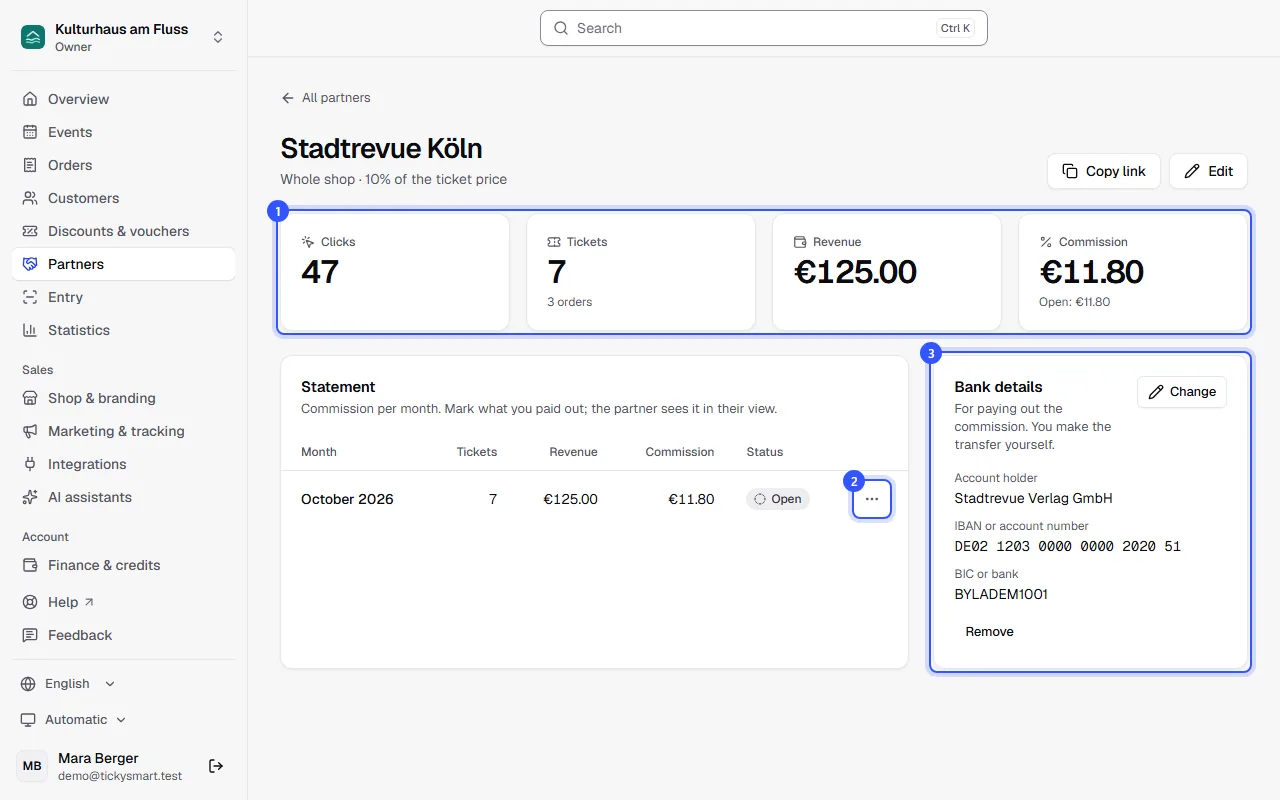
Click a partner's name to open their page.
- At the top are clicks, tickets, revenue and commission, plus what's still open.
- Under Statement you see the commission per month. Using the menu, download the statement as PDF, Excel or CSV and mark the month with Mark as paid out.
- Under Bank details, store where the commission goes: IBAN or account number and, depending on the country, BIC, sort code or routing number.
Common questions
What does the partner see?
Choose Copy partner view in the partner's menu. You get a link where the partner sees their clicks, sales and commission without logging in, including what you've marked as paid.
What happens if I pause the link?
The link still leads to your shop but no longer counts for the partner. Existing figures stay. With Resume link it counts again.
Why can't I delete a partner?
Tickets were already sold through this link, so it can't be deleted. Pause it instead; the numbers stay.Can I change the link later?
Yes, in the Edit partner dialog. If you change it, the old link stops working.
Do partner links work with the widget?
Yes. Add ?ref= and the partner's link name to the address of the page with the widget, for example ?ref=stadtrevue-koeln. The widget passes the partner on to the shop, so sales count for them, while clicks only count through their partner link. On a partner's own website, you can also fix the partner in the widget: Embed on your website.