Exports
Download orders, attendee lists, customers and the monthly report as Excel or CSV. What's in the files and who can export what.
Many lists in the dashboard can be downloaded as a file, for your accounts, as an attendee list or to move data into another program. You can always choose between Excel and CSV. The file contains whatever you filtered beforehand.
Orders and attendee list
- Open Orders, filter by Order date, Event, Date or Status and click Export. Then choose what you need.
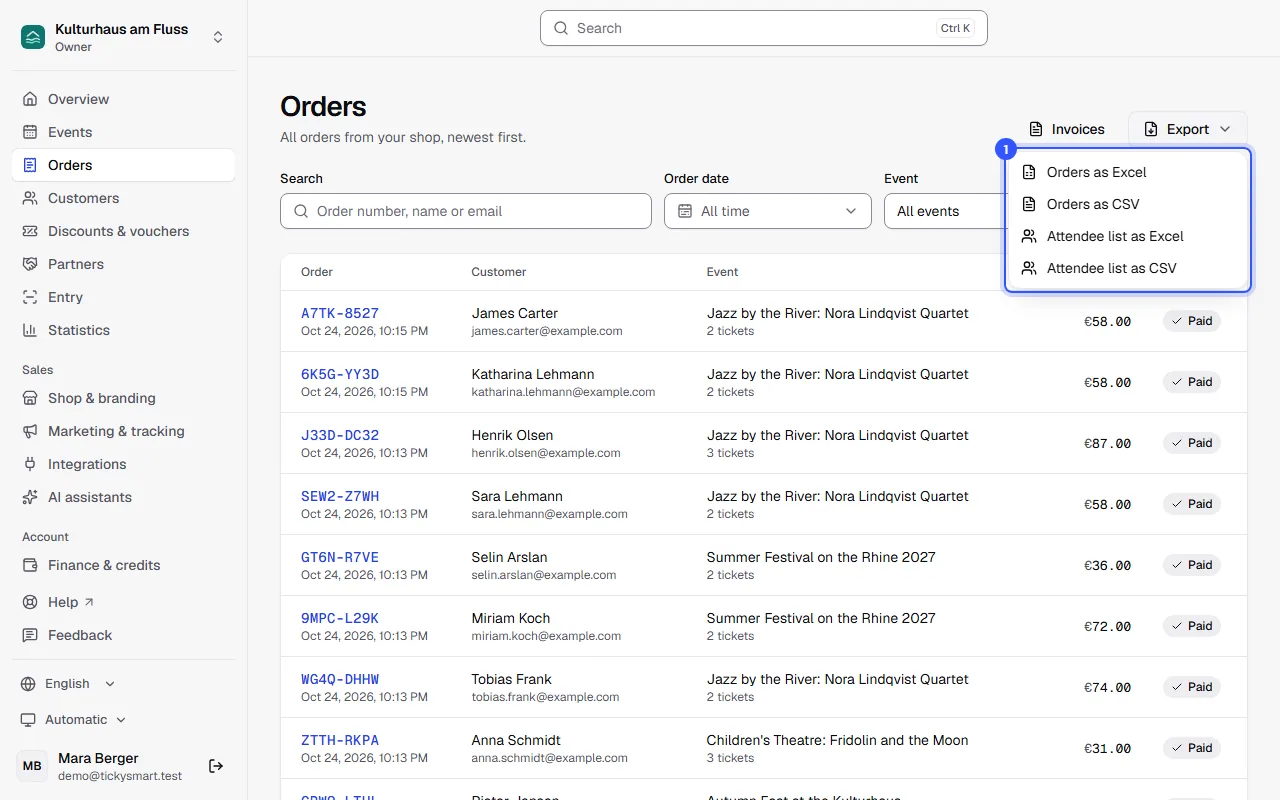
| File | What's in it |
|---|---|
| Orders as Excel or as CSV | One row per order: number, created and paid, status, event, number of tickets, currency, subtotal, booking fee, tax, total, refunded, payment provider and payment reference |
| Attendee list as Excel or as CSV | One row per ticket: ticket code, order number, status, ticket type, event, date, entries used and allowed, valid until and when the ticket was first scanned in |
The filters apply to the file as well, except for the search. The status is set to Paid by default. If you need every order, choose All statuses first. The guest list isn't part of the orders export; it has its own.
Buyer names and email addresses are only included if your role is allowed to export customer data. That's owners, admins and the Accounting role. For everyone else, these columns are left out.
Other exports
| What | Where to find it | More |
|---|---|---|
| Monthly report | Statistics, at the bottom | Statistics |
| Customer list | Customers → Export | Customers |
| Everything about one person | Open the customer → Export data | Privacy |
| Guest list | Open the event → guest list | Guest list |
| Discount codes | Discounts & vouchers | Discount codes |
| Vouchers | Discounts & vouchers | Vouchers |
| A partner's monthly statement | Partners → open the partner | Partner links |
| An order's tickets as PDF | Open the order | Order details |
Excel or CSV?
- Excel (.xlsx) is the easiest to work with. Column headings are in your language, amounts are real numbers formatted for their currency, and times are real dates. Statuses like "Paid" are translated, and the header row stays in place when you scroll.
- CSV is meant for accounting software and your own analysis. The column headings are fixed codes like
order_numberortotalthat never change, and statuses appear as codes likepaid. Separator and decimal mark follow the dashboard language: languages with a decimal comma, like German, use a semicolon as separator, all others a comma. The file is saved as UTF-8, so accents and other characters come through correctly.
In both formats, order and ticket times are in the event's local time, and times of customers and voucher purchases (shown as “Vouchers” in the event column) in your workspace's time zone. Every amount belongs to the currency in the column next to it. The file name contains the type, short name and date, for example orders-kulturhaus-am-fluss-2026-10-22.xlsx.
Who can export what
| Export | Who |
|---|---|
| Orders and attendee list | Everyone who can see orders. Names and emails only for owners, admins and Accounting |
| Customer list and one person's data | Owners, admins and Accounting |
| Monthly report | Owners, admins and Accounting |
What each role can do otherwise is listed under Roles and permissions.
Common questions
Excel shows the CSV file in a single column
The separator doesn't match your computer's regional settings. The easiest fix is to download the Excel file instead. If you need CSV, import it in your spreadsheet program and choose the separator yourself.
Why are names and email addresses missing?
Your role isn't allowed to export customer data. Ask an owner or admin to run the export or give you a suitable role.
Why do some fields start with an apostrophe?
Text starting with =, +, - or @ gets an apostrophe in front of it in CSV files. That stops your spreadsheet program from running it as a formula if a buyer typed something like that into their name.
Can I move orders into another program regularly?
Yes, through the Public API with an API key. Your program then fetches orders and customers itself, no files needed.