Tickets in Apple Wallet and Google Wallet
Buyers save their tickets in their phone's wallet. What the pass shows and how it updates itself when something changes.
Your buyers can save their tickets in Apple Wallet on an iPhone or in Google Wallet on Android. Each ticket becomes its own pass with a QR code that works at the entrance even without internet. There's nothing for you to set up.
Where buyers find the buttons
- On the order page, below Your tickets, there are the Add to Apple Wallet and Add to Google Wallet buttons.
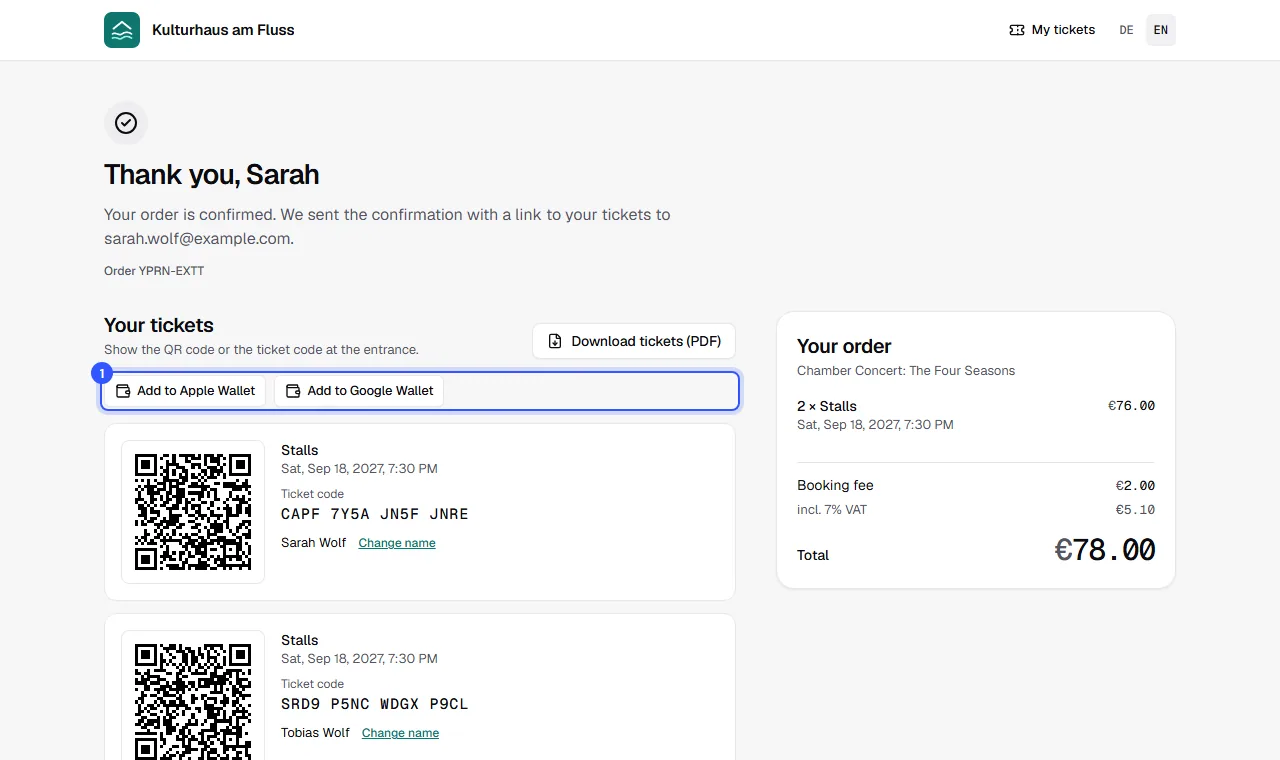
The same links are in the confirmation email below the button to the tickets. One click saves all valid tickets of the order at once.
What the pass shows
- Event title, date and time in the event's local time, doors, venue and address
- Ticket type, for seat maps the section, row and seat, and the name on the ticket
- The QR code and ticket code, plus order number and price
- Your name, logo and colour from your shop design, plus the event's cover image
The texts are in the buyer's language.
Passes update themselves
When something changes about the tickets, we update saved passes automatically:
| What happens | The pass |
|---|---|
| You reschedule the date or rebook the tickets | shows the new date |
| A ticket is cancelled or offered for resale | becomes invalid and shows This ticket is no longer valid. |
| The buyer charges back the payment | becomes invalid until you win the chargeback |
| The buyer changes the name on the ticket | shows the new name |
At the entrance, the scan app reads the QR code on the pass just like the one in the PDF or on the order page.
Common questions
Do I have to turn on Apple Wallet or Google Wallet?
No. The buttons appear on every paid order with valid tickets, without you setting anything.
Do buyers need an app?
Apple Wallet comes with every iPhone. On Android they need Google Wallet, which is preinstalled on most devices.
Can a buyer spread the tickets across several phones?
One click saves all tickets of the order to one phone. If the tickets are for different people, the buyer sends them the PDF or lets them open the order page.