Connect a payment account
Connect Stripe, Mollie or PayPal so your buyers' money goes straight to you.
Your buyers pay through your own Stripe, Mollie or PayPal account. The money goes straight to you; TickySmart never holds it back. Only the workspace owner can connect and disconnect accounts.
Stripe, Mollie or PayPal?
| Provider | Payment methods |
|---|---|
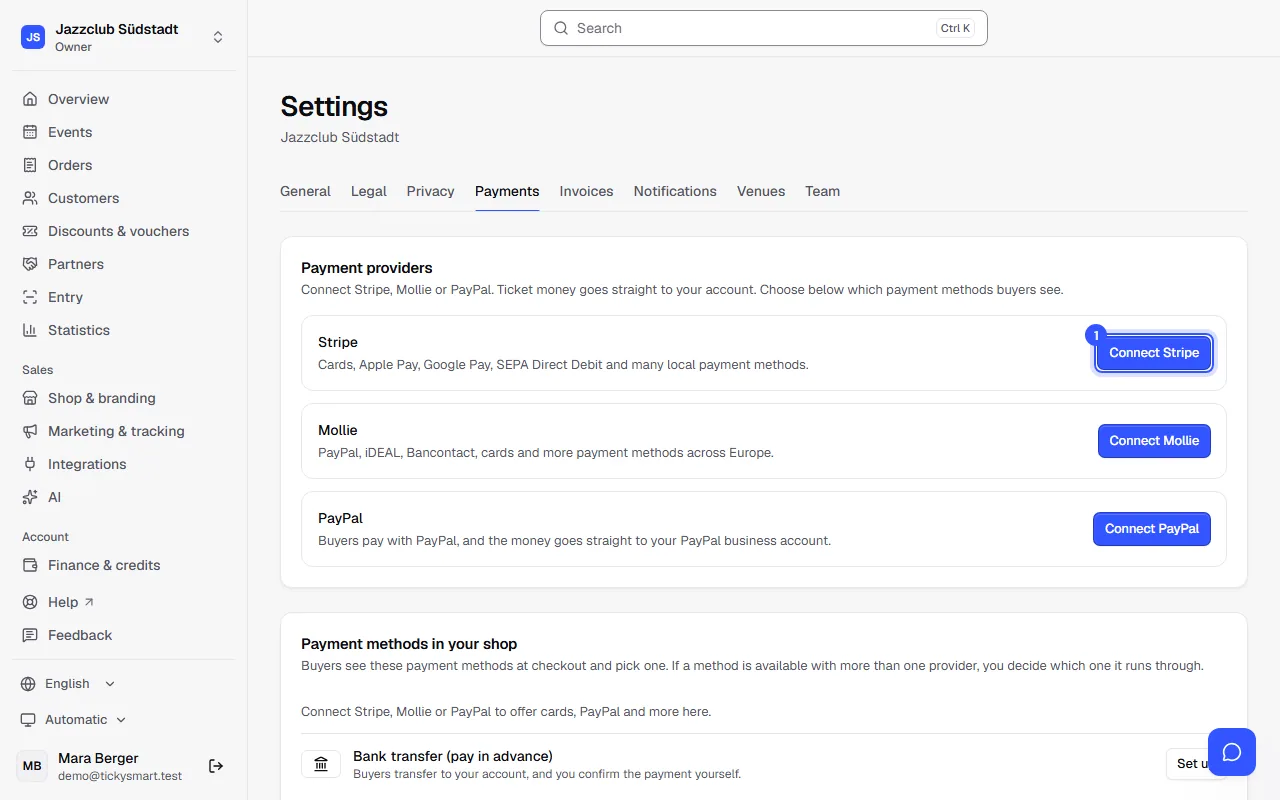
| Stripe | Cards, Apple Pay, Google Pay, SEPA Direct Debit and many local payment methods. |
| Mollie | PayPal, iDEAL, Bancontact, cards and more payment methods across Europe. |
| PayPal | Buyers pay with PayPal, and the money goes straight to your PayPal business account. |
You can connect more than one. The first account you connect is your default; change that any time with Make default. Not every provider is available in every country; the dashboard tells you if one isn't available in yours.
How to connect your account
- Open Settings → Payments and click Connect Stripe or Connect Mollie. PayPal is connected with the keys of an app from your PayPal account, without a redirect: Get paid with PayPal.
- You're taken to the provider. Sign in or create an account there and enter the details they ask for, such as information about your business and your bank account.
- The provider then brings you back to the dashboard.
The provider reviews your details, which can take a little while. You see the status right next to the account:
| Status | What to do |
|---|---|
| Sign-up in progress | Sign-up isn't finished yet. Pick it up again with Continue setup. |
| Details missing | The provider needs something from you. Add missing details takes you there. |
| Connected | All done, buyers can pay. |
Payment methods in your shop
Below that, you choose which payment methods buyers see in the checkout, such as card or PayPal. If a method is available with more than one provider, you decide which one handles it. You can also offer Bank transfer (pay in advance): buyers then transfer the money to your bank account, and you confirm receipt yourself: Bank transfer.
Common questions
Can I sell without a payment account?
Yes, with bank transfer: buyers transfer the money to your bank account and you confirm it. Free tickets work without one anyway. Without a payment account and without bank transfer, though, nobody can pay in the checkout.
What does it cost?
Stripe, Mollie and PayPal charge their own fees per payment, under your agreement with them. TickySmart's fee per ticket is billed separately, under Finance & credits.
How is this different from Credits and payment method in the checklist?
The payment account is for your buyers' money, which goes to you. The payment method under Finance & credits is how you pay TickySmart, for example for credits.
When does the ticket money reach my bank account?
The money is in your Stripe, Mollie or PayPal account right away. Stripe and Mollie transfer it to your bank account on the schedule you set, for example daily or weekly; with PayPal you transfer it to your bank account yourself, or automatically if you set that up. You change the schedule and the bank account in the provider's dashboard. With bank transfer, buyers pay straight into your bank account. TickySmart doesn't deduct anything from your ticket money.
I want to switch to a different account
Connect the new account and make it the default. Disconnect the old one with Disconnect. Orders that are already paid stay as they are.