Price tiers and tax
Choose a tax rate per ticket type, set prices as gross or net and start cheaper with price tiers such as early bird.
Every ticket type has its own tax rate. Whether your prices already include tax or tax is added at checkout is set per event. With price tiers you sell the first tickets for less, for example as early bird until a certain date or for the first 500 tickets.
Choose the tax rate
Open the ticket type and expand Tax and price tiers.
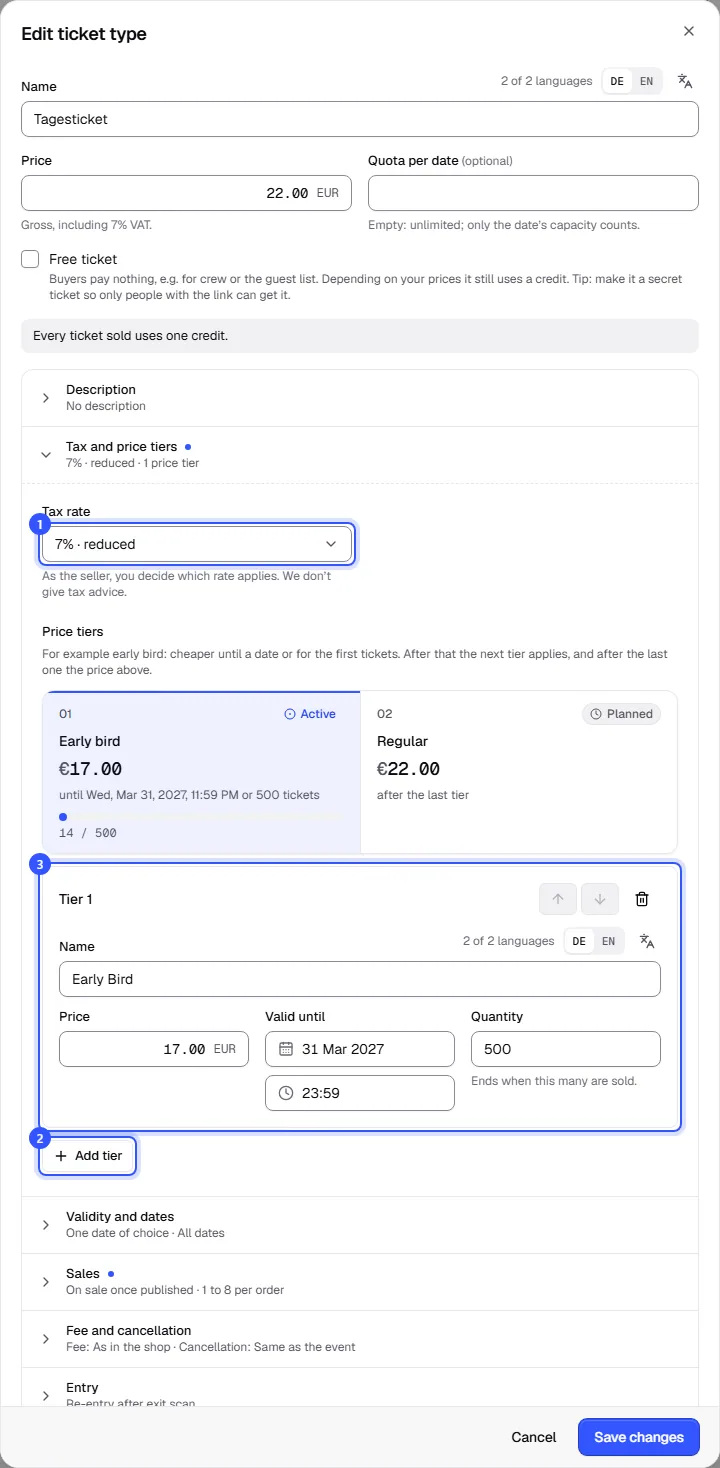
- Tax rate: You can pick from the rates of your workspace's country, such as the standard rate and reduced rates. Your usual rate from the settings is preselected, or the first in the list if you haven't chosen one. If none fits, choose Other rate and enter the rate in percent, with up to three decimals.
If you sell without any VAT, for example as a small business, there's nothing to choose here: all tickets have 0%. You set this once for the workspace, see Selling without VAT.
As the seller, you decide which rate applies to your tickets. If in doubt, ask your tax adviser; we can't give tax advice. Below the price you always see how it's meant, for example "Gross, including 7% VAT."
If the tickets in an order have different tax rates, we calculate the tax for each rate separately. Buyers see the amount per rate in their order, and you see it in the order details in the dashboard.
Gross or net
Whether prices include tax applies to all ticket types and extras of an event. You set it under Details in the Prices card.
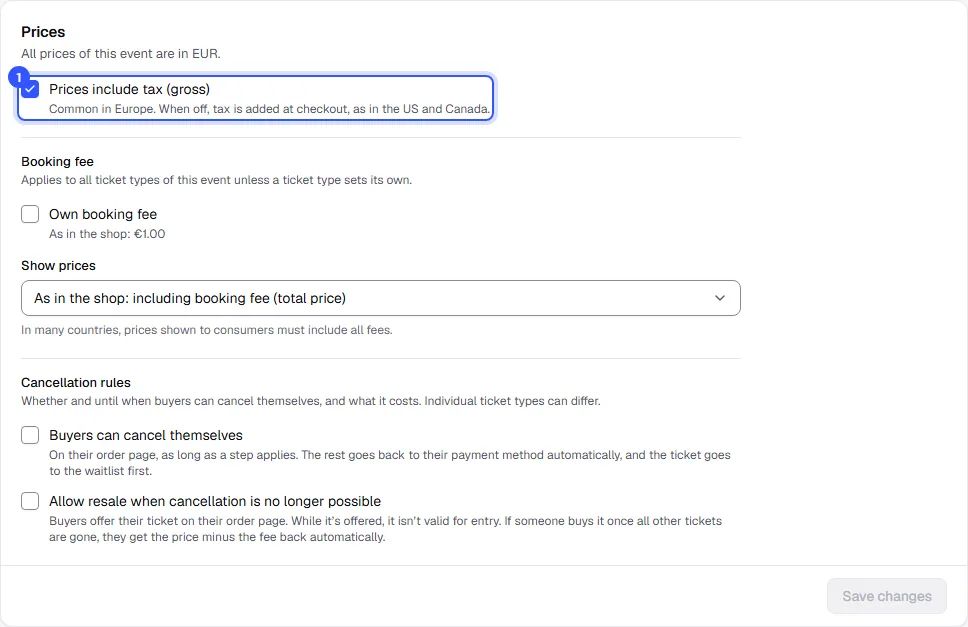
| Setting | What buyers see |
|---|---|
| Prices include tax (gross) on | The price in the shop is the final price, tax included. Common in Europe. |
| off | The shop shows the net price and tax is added at checkout. Common in the US and Canada, for example. |
New events take the setting that's usual in your workspace's country. The same card also holds the event's booking fee and cancellation rules; more on those in Booking fee and Cancel and refund.
Add price tiers
In the same section you'll find the ticket type's tiers under Price tiers.
- Click Add tier. A new tier starts with the ticket type's price; lower it.
- Give the tier a name buyers will see in the shop, such as "Early bird". Then decide when it ends: Valid until for a date, Quantity for a number of tickets, or both. With both, it ends as soon as the first one is reached.
Tiers apply in order. When one is over, the next one applies, and after the last one the price at the top of the dialog. Change the order with the arrows on each tier and remove one with the bin icon. You can have up to six tiers per ticket type.
| Field | Note |
|---|---|
| Name | Required in the default language; add more languages using the codes |
| Price | The price in this tier, gross or net as set for the event |
| Valid until | In the event's local time |
| Quantity | Counts across all dates of the ticket type. Cancelled tickets become available in the tier again. |
When you edit a ticket type with tiers, an overview above the form shows which tier is Active, Planned or Over and how many tickets each has sold. The ticket type list shows the current price with the tier's name and the regular price below it.
What buyers see
In the shop, the ticket type shows the price of the running tier with its name. Below it buyers see how many tickets are left at this price or until when it applies, and what comes next.
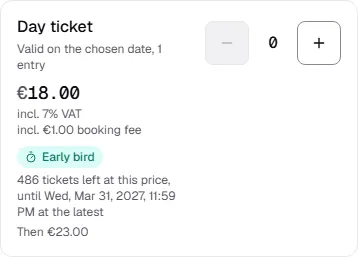
If someone orders more tickets than the tier has left, they get as many as remain at the lower price and the rest at the next price. The selection says so before they buy.
Common questions
Can I change price tiers after sales have started?
Yes. Saved tiers keep their count, even if you change the price, date or quantity. Tickets already sold keep their price.
How do I make "the first 100 tickets cheaper"?
Add a tier and enter 100 under Quantity, without a date. Once 100 tickets of this type are sold, the next price applies.
Do price tiers work for extras too?
No. Extras have a fixed price and their own tax rate, see Extras.
Which rate do I use if it depends on the state or province?
In the US, for example, sales tax depends on where the event takes place. The template only offers one rate there. Choose Other rate and enter the rate that applies to your event. It applies to this ticket type; enter it the same way for others.