Season tickets
Sell one ticket for several events, such as a subscription or a season pass, with a fixed seat at every date if you like.
A season ticket is valid at several dates of other events, once at each. Typical examples are a theatre or concert subscription, or all home games of a season. You create the single events as usual and bundle their dates in a season ticket. With a seat map, the buyer sits in the same seat at every date.
Create a season ticket
- Open Events and click Create season ticket. The button appears once you have events.
- Enter a title, such as "Chamber Music Subscription 2027".
- Only choose a venue if the season ticket gets fixed seats from a seat map. Otherwise leave it at No venue.
- Click Create season ticket.
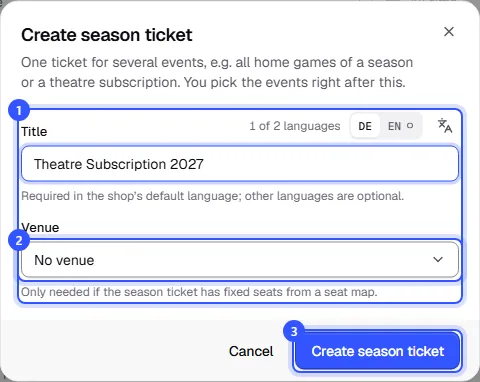
A season ticket can't be turned into a regular event later, or the other way round. Instead of dates of its own it has an Events section, plus details, tickets and the seat map.
Choose the events
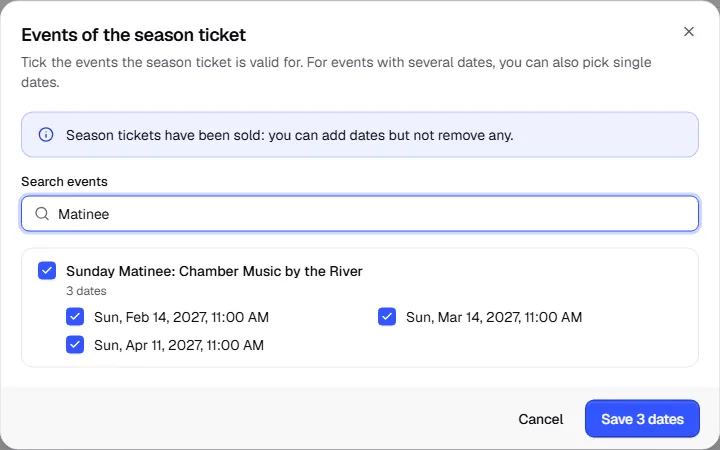
- Open Events and click Choose events.
- Tick the events the season ticket is valid for. For events with several dates you can also pick single dates. Drafts work too.
- Click save. The button shows how many dates you've chosen.
The list then shows each date with its event and how many places are taken there.
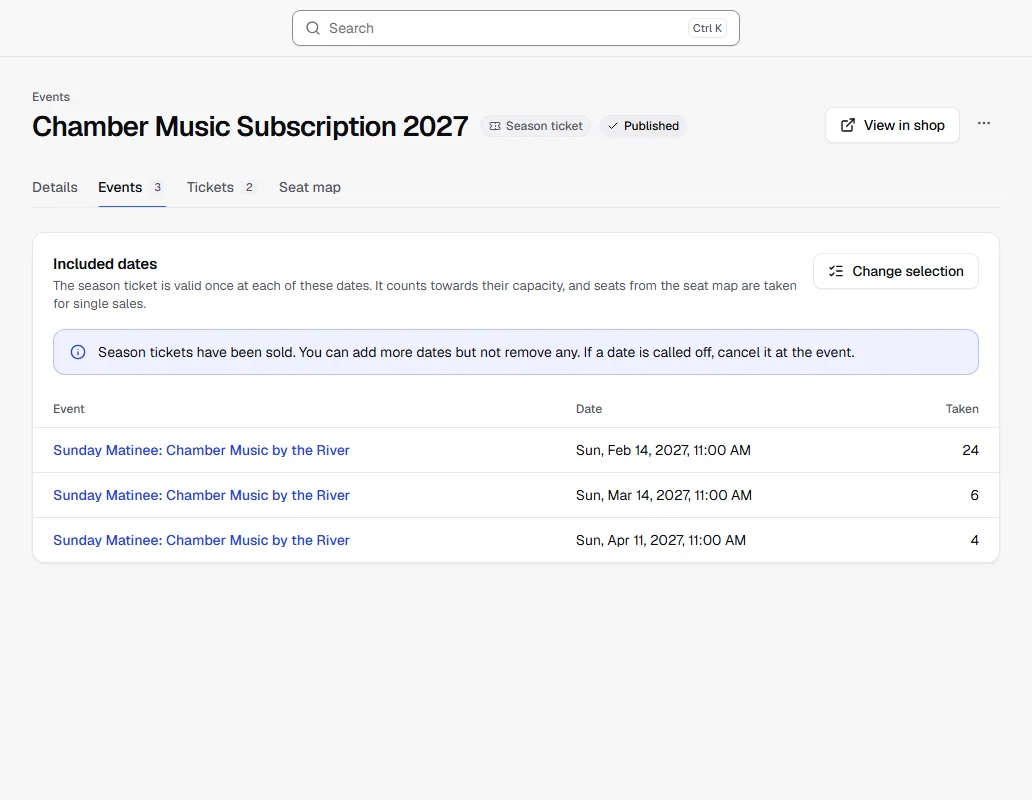
Only upcoming dates of regular events that aren't cancelled can belong to a season ticket. Time slot dates can't. If the fixtures aren't set yet, you can still start selling the season ticket and add events later.
Ticket types of a season ticket
Under Tickets you add what buyers can buy, such as "Subscription stalls" and "Subscription concession". A few things work differently for season tickets:
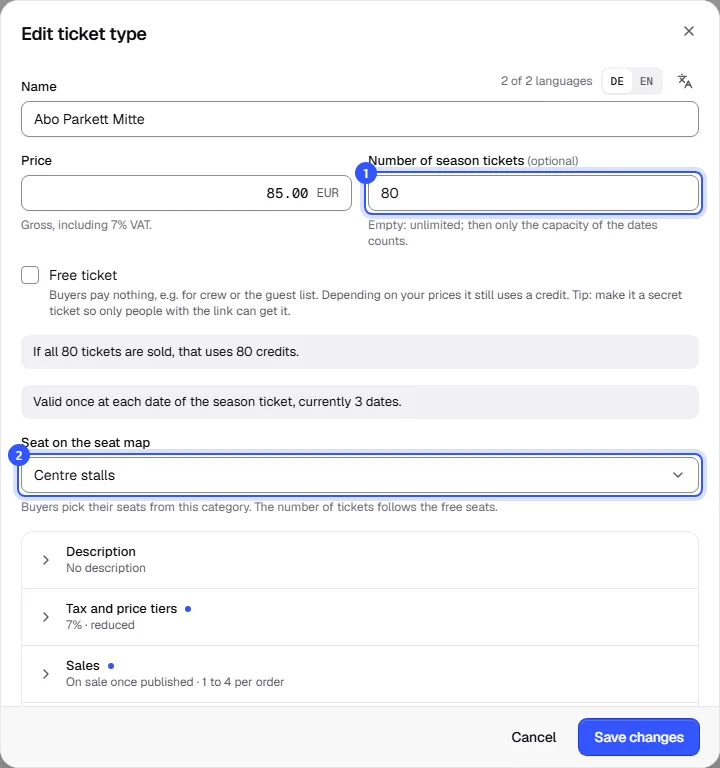
- Every ticket type is valid once at each date of the season ticket, so there's no Validity and dates section.
- Number of season tickets: how many season tickets of this type there are. Empty means unlimited; then only the dates' capacity counts.
- Without a sales end of its own, sales run until the first date starts.
- Buyers can't cancel season tickets themselves; only your team can. There are no add-ons.
Sold season tickets count towards the capacity of every included date. The Dates section of those events shows a note with a link to the season ticket.
Fixed seats
With a seat map, every buyer gets the same seat at all dates.
- The season ticket needs the venue with the seat map, and under Seat map you apply the same plan as for the events. How that works is covered in Sell seats.
- All included events must have applied the same seat map of the venue.
- In the season ticket's ticket type, choose the category under Seat on the seat map.
Buyers then pick their seat in the shop once for all dates. These seats are taken at the single events and no longer available for single sales.
What buyers see
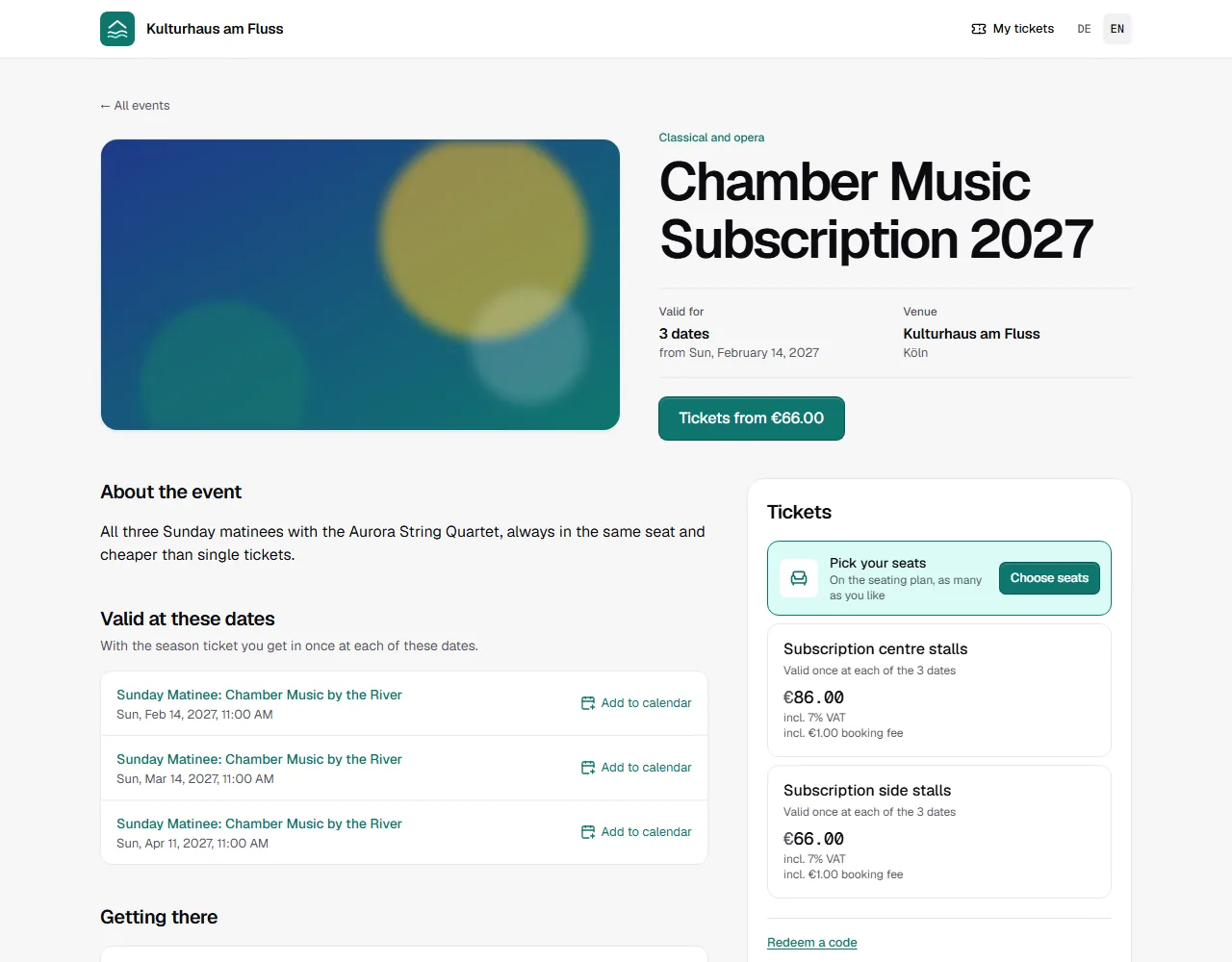
In the shop, the season ticket appears like an event, labelled Season ticket, with the number of dates and the list Valid at these dates. The included events show Also as a season ticket: below their tickets, with a link to the season ticket.
At the entrance of every included date, the season ticket is valid once.
Common questions
Can I remove dates once season tickets are sold?
No, you can only add dates then. If a date is called off, cancel it at the event, see Reschedule or cancel a date.
What happens if I add a date later?
Season tickets already sold are valid there right away. The date needs enough free places for that, and with fixed seats, the season ticket holders' seats must be free there.
Can I delete an event that's part of a season ticket?
Only after you've taken its dates out of the season ticket.
Is there a waitlist or extras for season tickets?
No. Set up the waitlist and extras at the single events.