Embed on your website
Show your events, a single event, one ticket type or a buy button as a widget on your own website.
The widget lets you sell tickets right on your website. Visitors see your events and pick their tickets without leaving the page. Payment happens securely in a new tab. You put the code together in the dashboard and copy it into your website.
Put the code together
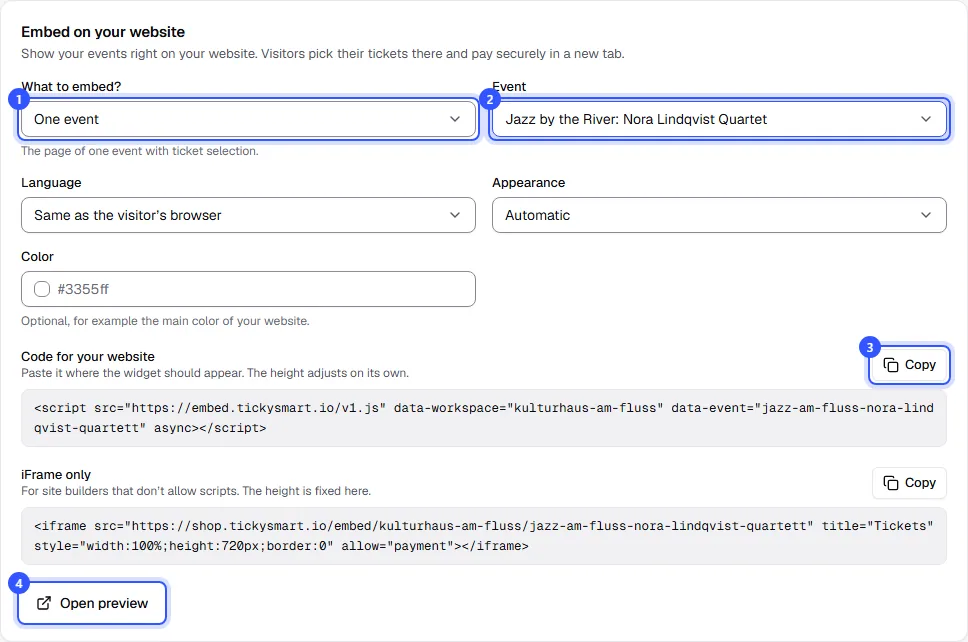
Open Shop & branding and scroll to the Embed on your website card.
- What to embed?: Choose what should appear on your website (see the table below).
- Event: For a single event, a ticket type or the buy button, choose the event here, and for a ticket type also the Ticket type. Only published events are listed. Secret ticket types and add-on tickets can't be chosen here: secret ones are only sold through their link, add-ons only together with a main ticket.
- Under Code for your website, click Copy and paste the code into your website where the widget should appear.
- Open preview shows you beforehand how the widget looks on a page.
| What to embed? | What appears |
|---|---|
| All events | Your event overview. Every event can be opened from there. |
| One event | The page of one event with ticket selection. |
| One ticket type | Only the ticket selection for one ticket type, for example your 12-visit card. |
| Buy button | A button with the starting price. One click opens the ticket selection on top of your page. |
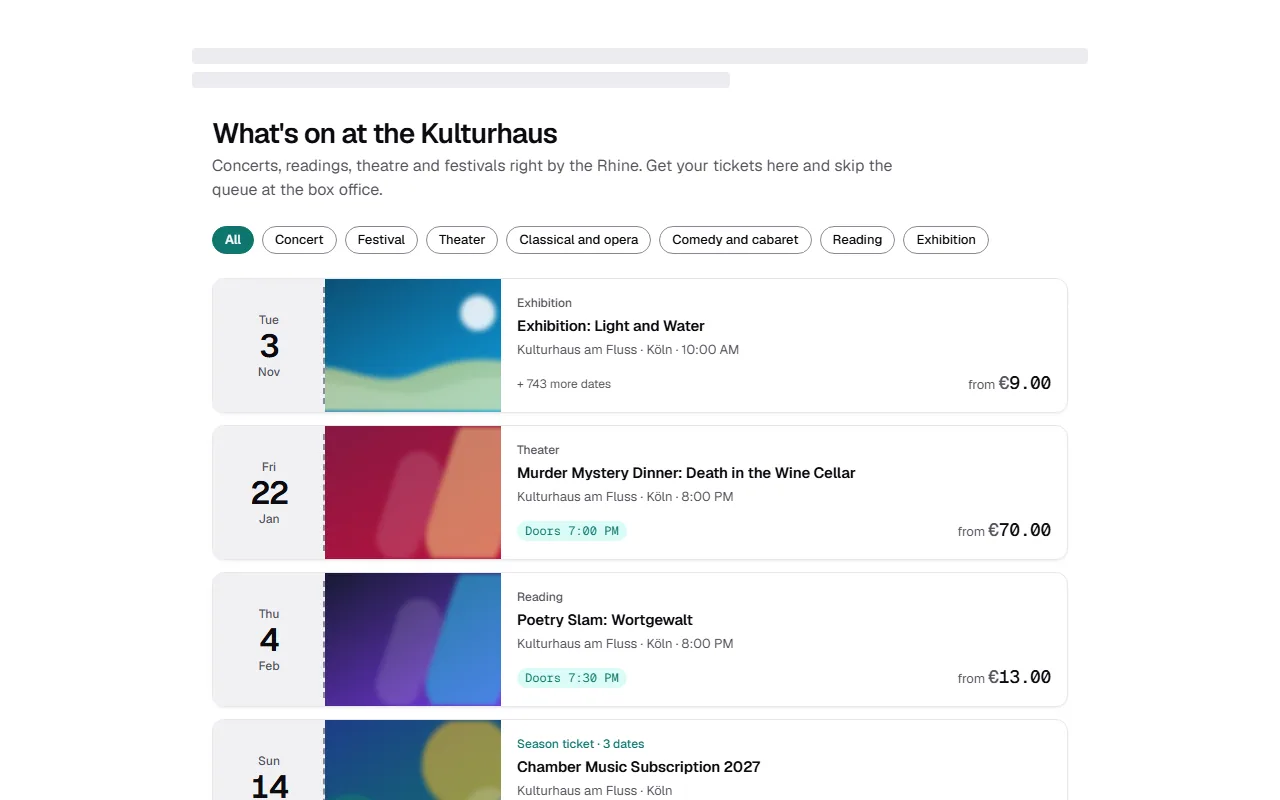
This is what your event overview looks like as a widget on a website:
Language, appearance and color
The widget uses your shop design. If your website looks different, adjust it here:
| Field | Note |
|---|---|
| Language | Same as the visitor’s browser or a fixed language, for example if your website only has one language. |
| Appearance | Light or Dark. With Automatic, your setting under Look applies. |
| Color | Optional, for example your website's main color, as #rrggbb. Left empty, your shop color applies. |
Every change shows up in the code straight away. If you've already added the code and change something, copy it again.
Script or iFrame
- Code for your website: The best choice. The widget adjusts its height to the content by itself.
- iFrame only: For website builders that don't allow scripts. The height is fixed here. The buy button is only available as a script.
Common questions
Where do my buyers pay?
They choose in the widget and pay in a new tab in your shop. Afterwards they get their tickets by email as usual.
Can I see which orders came through the widget?
Yes. The order shows Widget on your website under Sold via. In your statistics, these orders are counted separately under Where buyers come from.
Do partner links and campaigns work with the widget?
Yes. If your page's address contains a partner link (?ref=…) or a UTM parameter, the widget passes it on to the shop. For a partner's website, you can also fix the partner in the code by adding data-partner="partner-link-name" to the script, using the link name from Partner links.
I see a message instead of the code
Publish an event first, then you can embed it here. For All events you don't need to choose an event.