Shop design
Set your ticket shop's color, light or dark background, heading font, favicon and logo.
Your shop should look like you, not like us. You pick a color, a light or dark background and a font for headings, then add your logo and a favicon for the browser tab. The design applies to your shop and to the widget on your website.
Color, background and font
Open Shop & branding. The Look card is at the top. Owners and admins can make changes.
- Color: Pick one of the suggestions, click the colorful circle for a color of your own or enter the Color code, for example from your logo. Below, you instantly see how buttons, links and selected tickets look in the light and dark shop.
- Light or dark: Choose the background for your shop.
- Font for headings: Choose a font for headings. Body text, forms and prices stay in the standard font so everything is easy to read.
- Favicon: Upload a small image, ideally square. It shows in the browser tab and is saved right away.
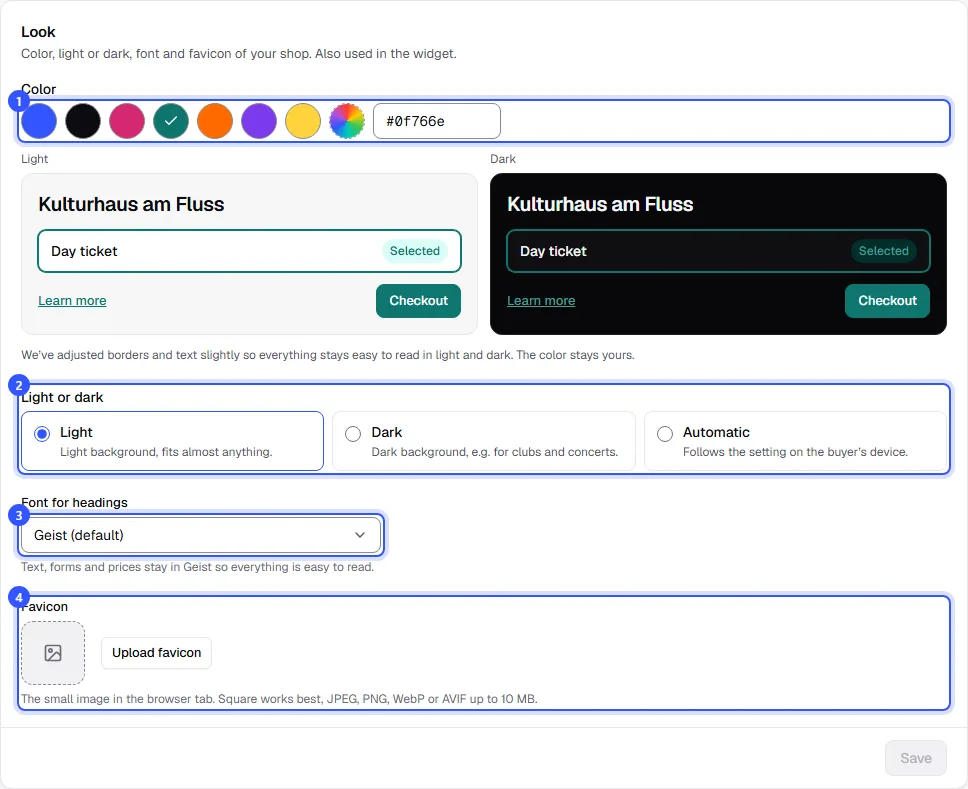
Finally, click Save. After a moment, buyers see the new design in your shop.
| Background | When it fits |
|---|---|
| Light | Light background, fits almost anything. |
| Dark | Dark background, e.g. for clubs and concerts. |
| Automatic | Follows the setting on the buyer’s device. |
Upload your logo
Your logo sits in the top left of every shop page, next to your workspace name. Upload it under Settings → General in the Logo area. Owners and admins can do this.
- Click Upload logo or, if there's one already, Change logo, and choose the file. The logo is saved right away.
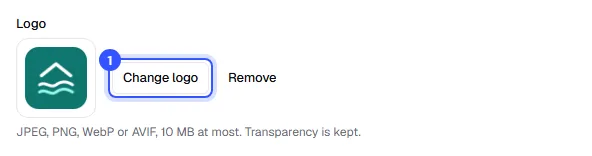
Transparent backgrounds are kept. Without a logo, the shop shows your initials in your color.
Common questions
Why does my color look slightly different in the shop?
To keep text on buttons and links readable in both light and dark, we adjust borders and text slightly where needed. The hue stays yours. The note below the preview tells you whether anything was adjusted.
Can I upload my own font?
No. You choose from a list of heading fonts. Everything else stays in the standard font, which also keeps prices and forms equally readable everywhere.
Can the widget on my website look different from the shop?
Yes. When you embed it, you can set a separate color and light or dark for the widget to match your website: Embed on your website.
Where do I change the name shown in the shop?
Under Settings → General in the Organizer name field.