Category, video and FAQ
Choose a category, embed a video, add links and answer the questions buyers often ask.
At the very bottom of the Details section is More about the event. This is where you add what buyers often want to know before they buy. Everything is optional, and every text can be kept in several languages.
Fill in the section
- Category: the kind of event, such as Concert, Theater or Workshop and class. Next to it, under Video, a link to a video on YouTube or Vimeo.
- Links: up to 8 links, each with Link text and Address. Add link adds another one.
- Questions and answers: up to 30 questions with answers. Answers can contain paragraphs, lists and links. Add question adds another one.
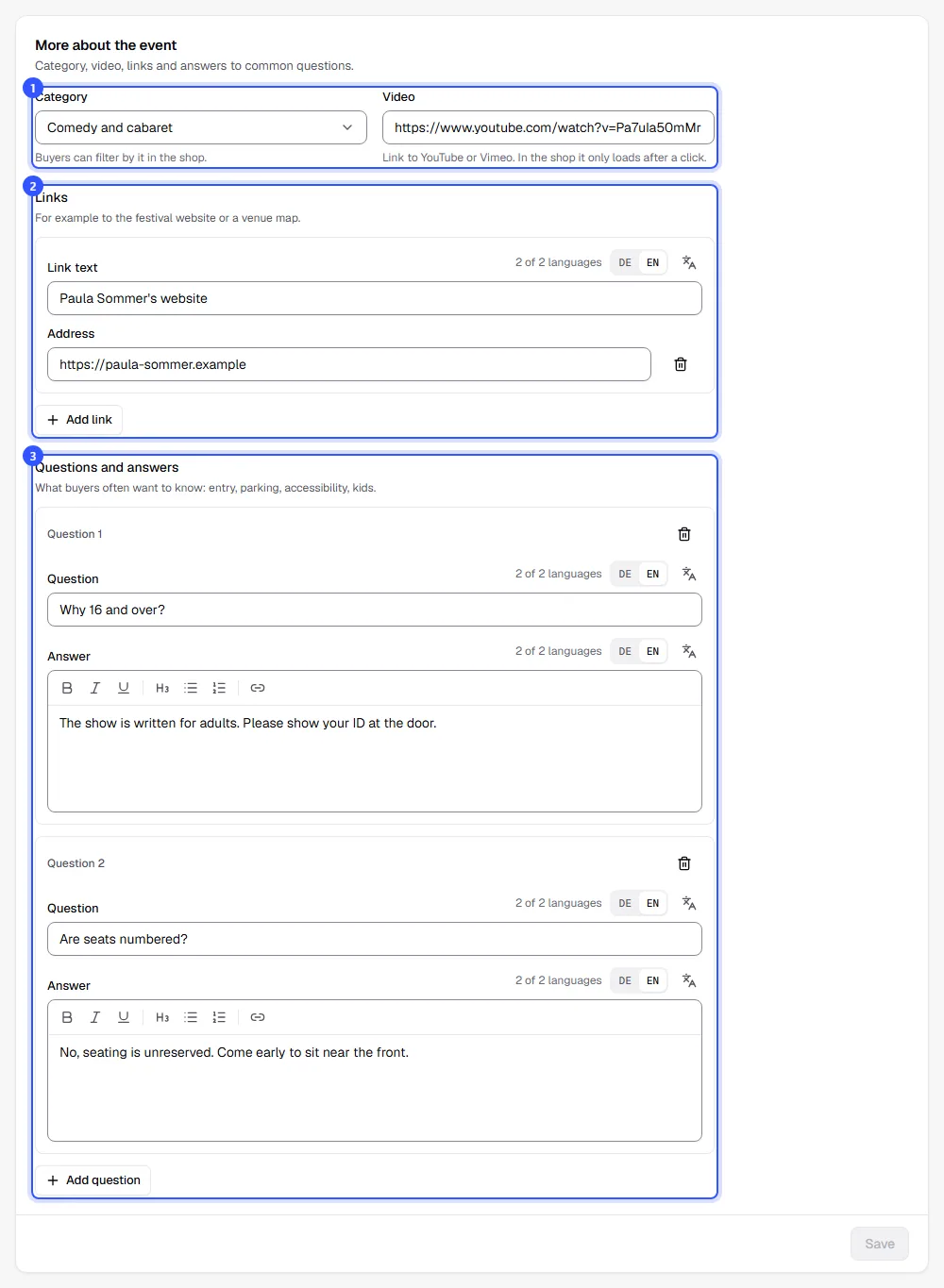
Finally, click Save. This section has its own button and is saved separately from the rest of the page. Half-filled links and questions without an answer are left out.
What buyers see
| Detail | In the shop |
|---|---|
| Category | Shown above the title. If your events have different categories, buyers can filter by them on your shop's home page. Search engines also use it to tell what kind of event it is. |
| Video | A section of its own with a preview. The video only loads from YouTube when you play it. Data is then sent to YouTube. |
| Links | Buttons below the description |
| Questions and answers | Expandable questions further down the event page |
Common questions
Which questions should I answer?
Whatever buyers would otherwise ask by email: When do doors open, is there a cloakroom, where can I park, is the venue accessible, can I bring children? Details that apply to the venue every time, such as directions and parking, are better placed in the venue description: Venues.
My video link isn't accepted
Only links to a single video on YouTube or Vimeo work, for example from the share button below the video. Links to channels or playlists don't.
There's no category for my event
Pick the closest one, or Other. The category is optional.