Sell extras
Sell drink tokens, merch or a programme together with your tickets, with variants, stock and redemption at a counter.
Extras are anything buyers take along on top of their ticket: drink tokens, a T-shirt in their size, a programme. Every extra gets a code that your team redeems at a counter, such as the bar or the merch stand. You'll find extras in every event under Extras.
The list of extras
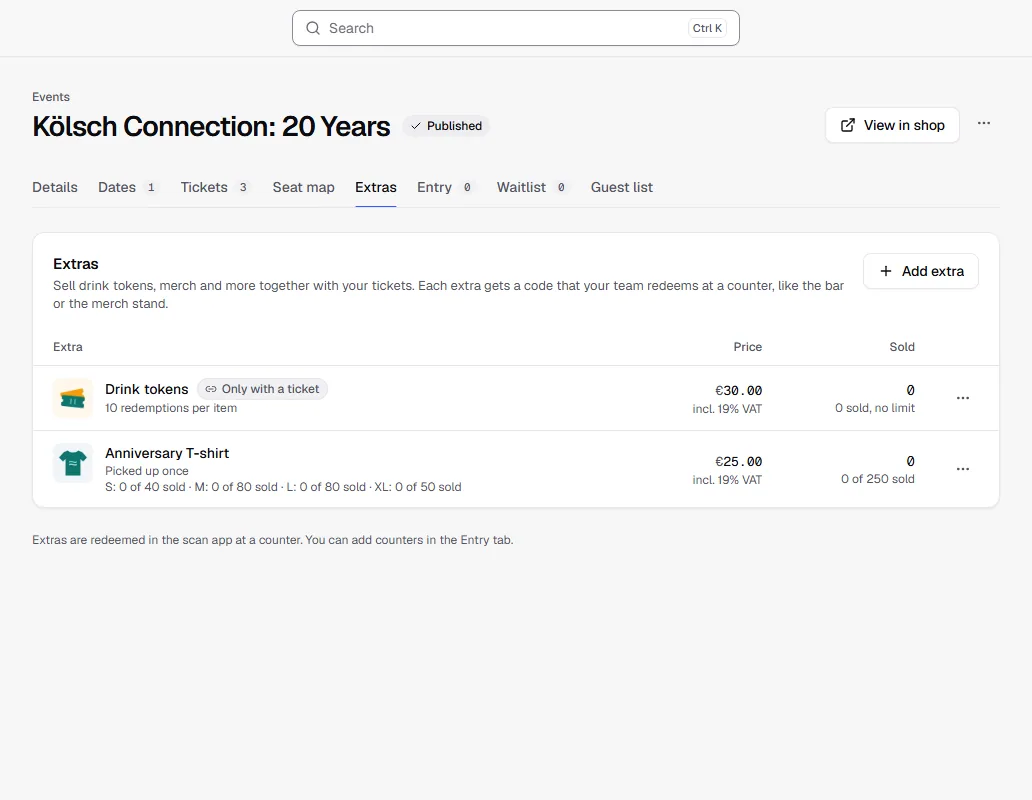
For each extra the list shows the picture, how often it can be redeemed, the price with tax rate, and how many have been sold and redeemed. For variants, the stock of each one is shown below. The Only with a ticket and Hidden labels show how the extra is offered.
Add an extra
Click Add extra and enter a name, description and price. A picture is optional; square works best. Then:
- Redemptions per item: 1 means picked up once, such as a T-shirt. 10 means ten drink tokens on one code. Up to 1,000 is possible.
- Has variants, e.g. sizes: for sizes, colours or flavours. Each variant has its own stock; name, price and picture are shared.
- Only with a ticket: buyers can only get the extra together with a ticket in the same order. This is on by default.
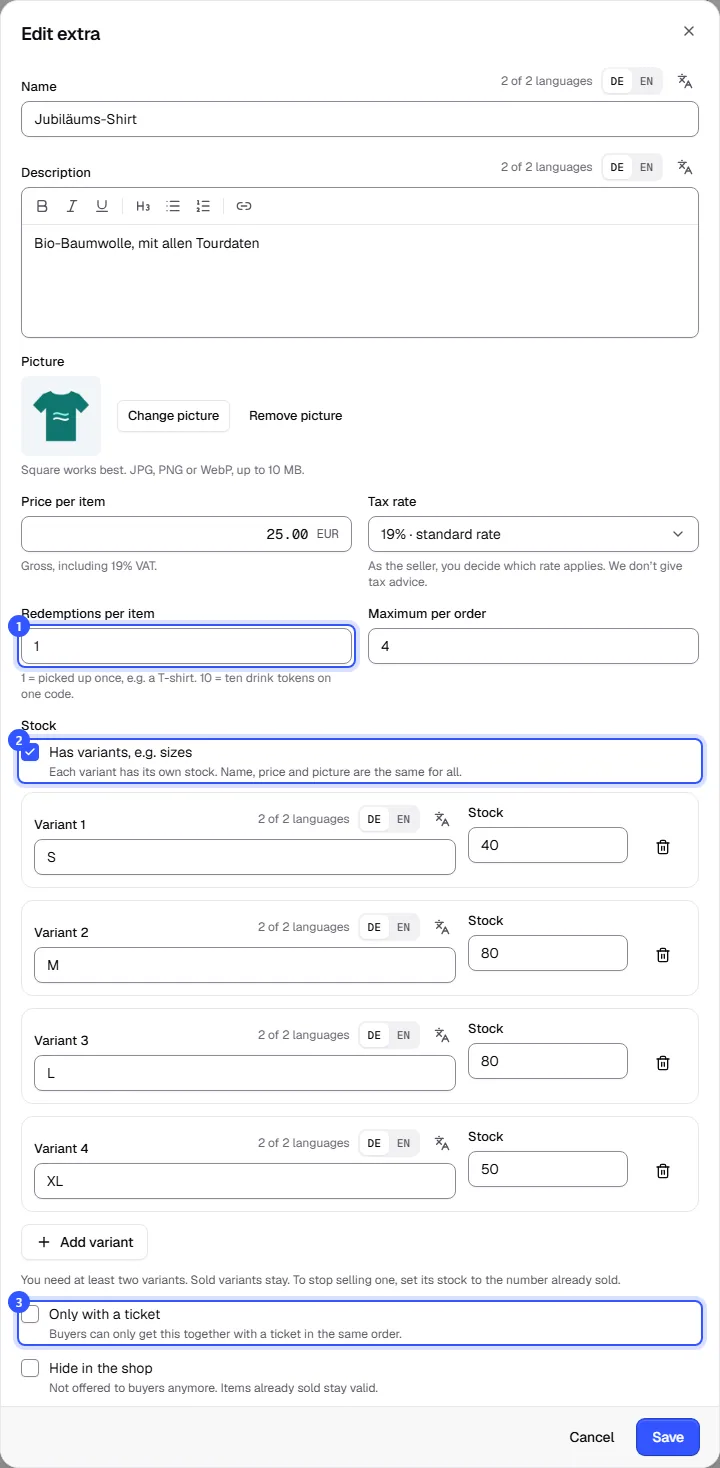
| Field | Note |
|---|---|
| Price per item | In the event's currency, gross or net like the tickets |
| Tax rate | A rate of its own for the extra, from your country's template or as Other rate |
| Maximum per order | 1 to 100 items |
| Stock | How many items there are. Empty means no limit. |
| Hide in the shop | Not offered to buyers anymore. Items already sold stay valid. |
With variants you need at least two. You can add more at any time. Sold variants stay. To stop selling one, set its stock to the number already sold.
How buyers buy and redeem
- In the shop, extras are listed below the tickets. Extras with Only with a ticket can only be chosen once a ticket is selected.
- At checkout we offer the extras once more; one click adds them to the order.
- After buying, the order page and the ticket PDF show a code for each extra.
- At the counter, your team scans the code in the scan app. For drink tokens each scan takes off one redemption, and buyers see on their order page how many they've used.
You add counters under Entry in the event, as an area of the type Counter (bar, merch), see Areas. How your team works with the scan app is covered in Scan app.
Common questions
Can I delete an extra?
Only as long as nobody has bought it. After that, hide it with Hide in the shop. Sold extras stay valid and can still be redeemed.
Until when can extras be bought?
Until the last date of the event is over (if it has no end, until it starts). Without Only with a ticket, even when the tickets are sold out.
Are there extras for season tickets?
No. Offer extras at the individual events that belong to the season ticket.
What's the difference from an add-on ticket?
An add-on is a ticket with its own QR code, for parking for example. An extra is an item that's redeemed at a counter. More in Add-on and group tickets.