Customers
Everyone who has bought from you, with their orders. Search and filter customers and export the list.
Customers lists everyone who has bought from you. One email address is one customer: if someone orders several times with the same address, they appear once, with all their orders. The list builds itself from your orders, so there's nothing to maintain.
Find customers
- Open Customers and search by name, email address or order number.
- Has tickets for shows only customers with tickets for a particular event. Under Period you can narrow things down by the date of the Last order or First order, for example to find everyone who bought for the first time this year.
- Export downloads the filtered list as Excel or CSV.
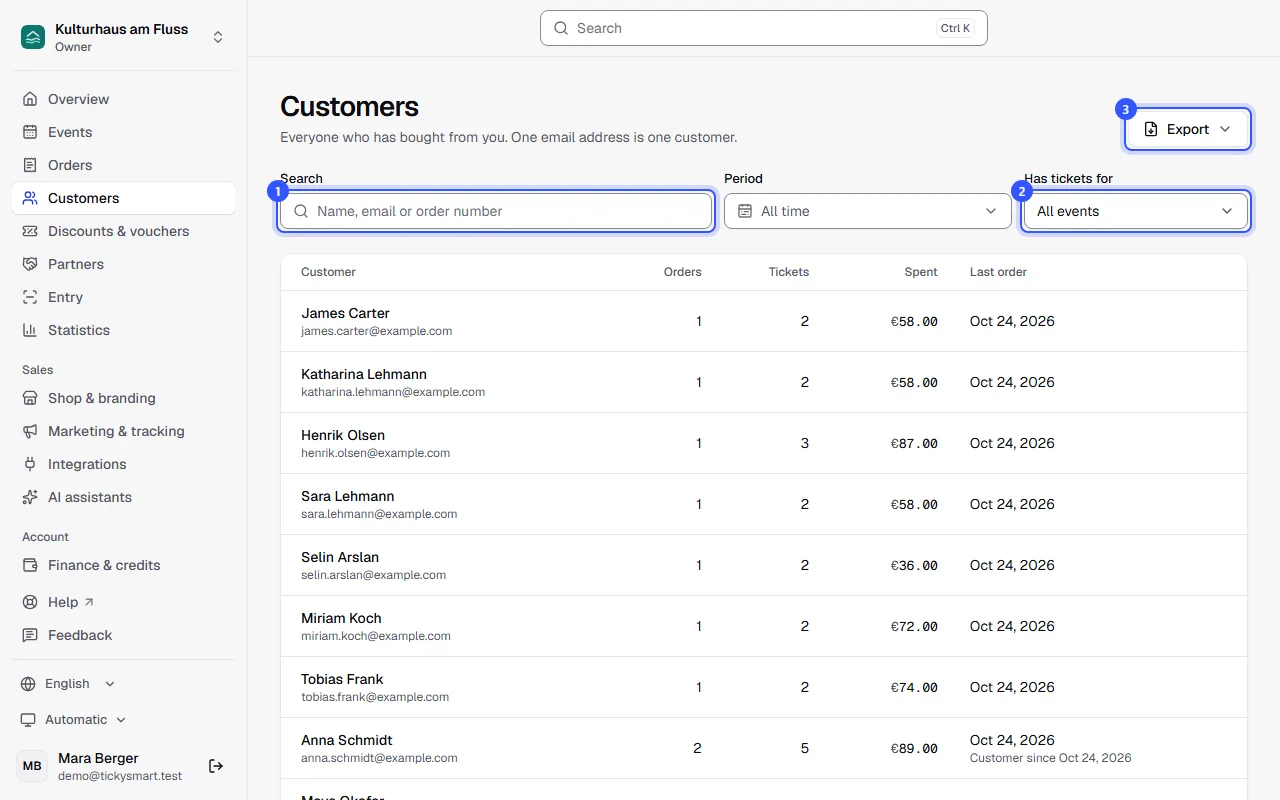
| Column | What it shows |
|---|---|
| Customer | Name and email address from the latest order |
| Orders | Paid and cancelled orders. Reservations that were never paid don't count. |
| Tickets | Valid tickets, without extras |
| Spent | Paid minus refunded, per currency |
| Last order | Date of the latest order, with "customer since" below for returning customers |
The exported customer list contains each customer's email address, first and last name, orders, tickets, spend, and first and last order. Anyone who bought in several currencies gets one row per currency. More about the files under Exports.
View a customer
Click a name. You'll see how many orders and tickets the person has, how many of those are for upcoming dates and how much they've spent in total. All their orders are listed below; click one to open it.
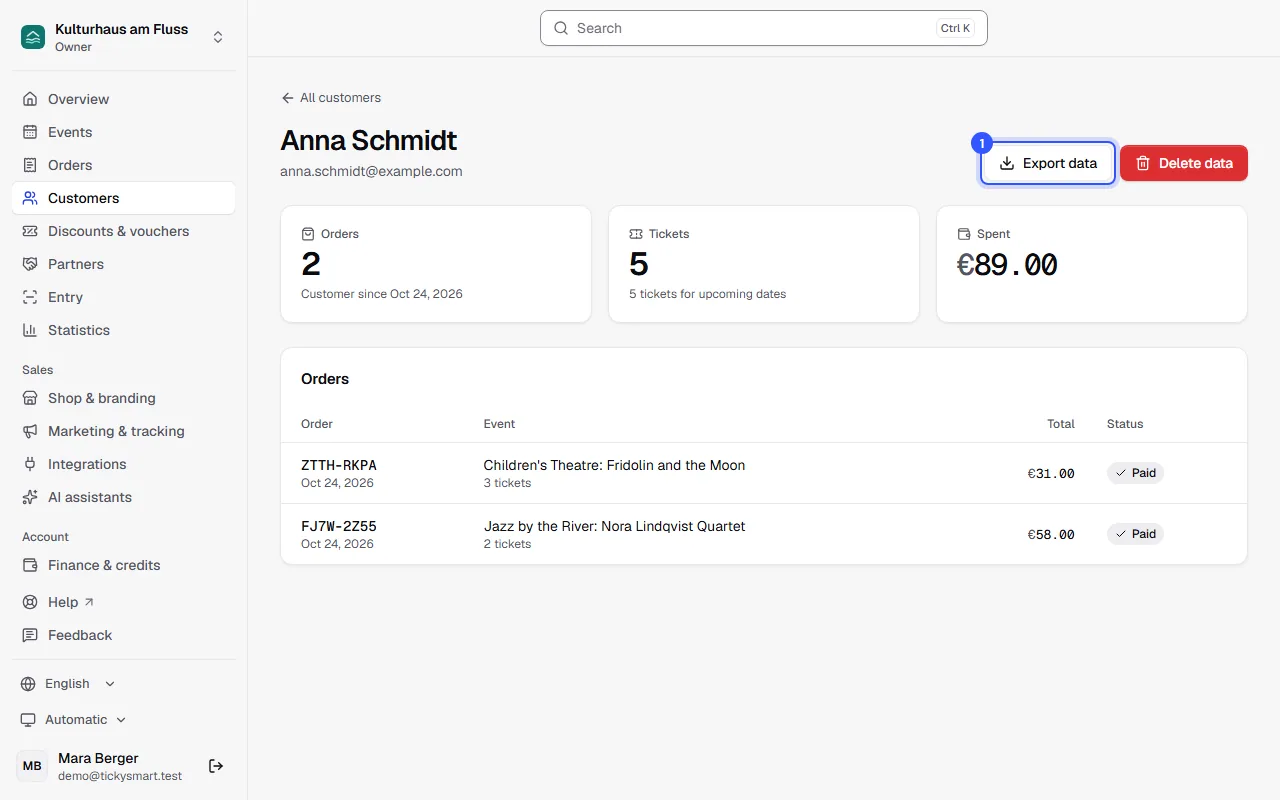
- Export data downloads everything you've stored about this person as a file. You'll need it when someone asks what data you hold about them.
Delete data removes the person's name and email address from all their orders. How that works is explained under Privacy.
Who sees what
| What | Who |
|---|---|
| Customer list and the customers' orders | Owners, admins and every role except Box office and Ticket checker |
| Full names and email addresses | Owners, admins, Editor, Accounting and Customer service |
| Export the list or one person's data | Owners, admins and Accounting |
| Delete customer data | Owners, admins and Customer service |
The Marketing and Read only roles only see shortened names and addresses, such as "A. S." and "a…@example.com", and can only search by order number. The dashboard tells them: "Your role shows customer data in shortened form."
Common questions
Why does someone appear twice?
Because they ordered with two different email addresses. For TickySmart, those are two customers. Upper and lower case don't matter.
Are guests from the guest list included?
Yes, if you entered an email address for them. Their spend is then zero.
Can I add customers or change their details myself?
No. Customers only come from orders. You change a name or email address in the order itself: Change an order.
Can I send my customers a newsletter?
TickySmart doesn't send newsletters and doesn't ask for marketing consent at checkout. Whether you may use the addresses from the customer list for marketing depends on the law in your country. If in doubt, ask an expert.