Live view
During entry, see how many guests are inside, how full each area is, which devices are online and what's being scanned right now.
The live view shows everything at a glance while doors are open: how many guests are already inside, how many are still to come, how full each area is and every scan on every device. It updates by itself every few seconds.
Open the live view
Open Entry → Live. It starts with the event that's running now or coming up next.
- Under Event, choose a different event.
- If the event has several dates, choose the date under Date.
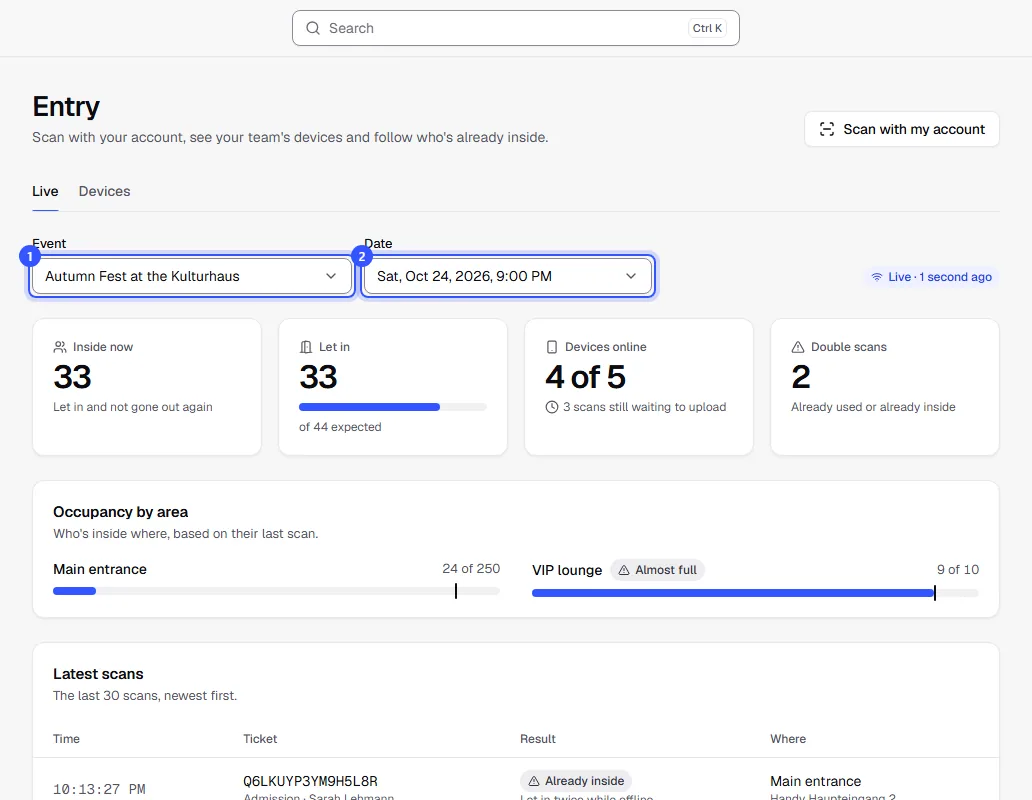
On the right you see when the numbers were last updated. If it says No connection, your computer has no connection right now. The scan apps keep working regardless.
The numbers
| Tile | What it means |
|---|---|
| Inside now | Let in and not gone out again |
| Let in | How many tickets for this date have been let in at least once, with a bar showing the share of all expected tickets. |
| Devices online | How many signed-in devices are checking in right now. Below that, whether any scans are still waiting to upload. Details in Devices. |
| Double scans | Scans with Already used or Already inside, plus tickets let in on two devices while offline. |
Expected means all valid tickets for the date, including passes and the guest list. Multi-entry cards without a fixed date count towards Inside now and occupancy, but not towards expected tickets.
Occupancy by area
If the event has areas, you see how many guests are inside each entry area right now, based on each guest's last scan. With a capacity, a bar shows how full it is: from 90% it says Almost full, at 100% Full.

Counters such as a bar don't appear here, since they only redeem extras.
Latest scans
Below are the last 30 scans, newest first: time, ticket, result and where it was scanned, with area and device.
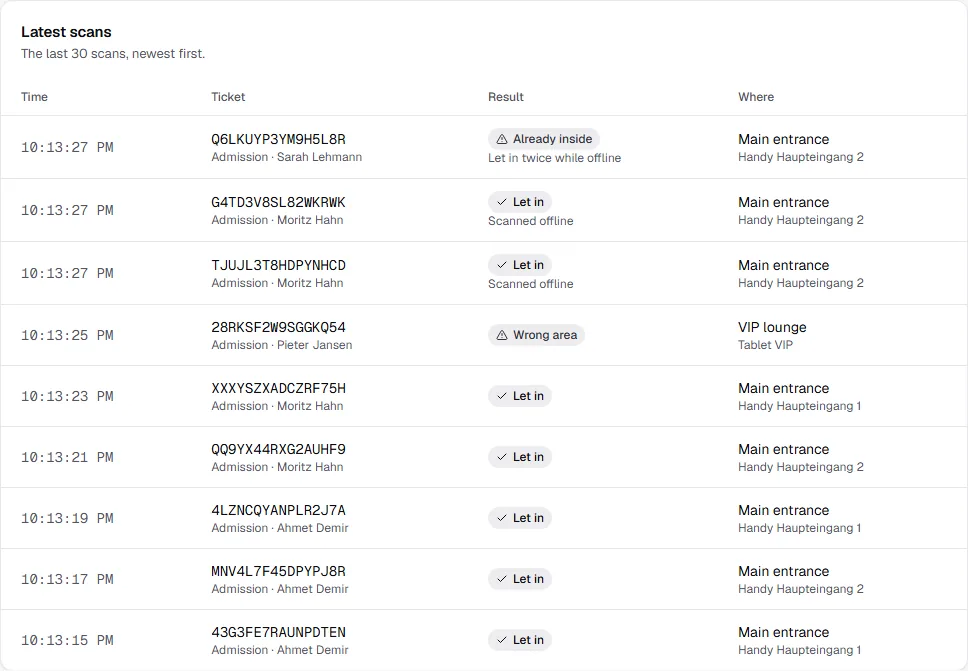
Sometimes there's a note below the result:
| Note | What it means |
|---|---|
| Via search | Let in using search in the scan app instead of scanning. |
| Scanned offline | The device had no connection and sent the scan later. |
| Let in twice while offline | Two offline devices let in the same ticket. |
| Check only | Scanned in Check only mode, not used up. |
| ID checked (18+) | Let in after staff checked the ID. |
Only roles with access to customer data see the names on tickets. What the results mean is explained in Scan results.
Common questions
Can I show the live view on a screen at the entrance?
Yes. The event and date are part of the page address. Open it on the screen or bookmark it, and exactly this view stays up. From the event, View entry live in the Entry tab takes you straight there.
Why is "Inside now" lower than "Let in"?
Guests scanned at the exit with Out no longer count as inside until they come back. They still count as let in.
A device was offline. Are scans missing?
Only until the device is back online. It then uploads the scans, and they appear with the note Scanned offline. How many are still missing is shown under Devices online.
Who can see the live view?
All roles with access to statistics: Owner, Admin, Editor, Accounting, Marketing and Read only. The Ticket checker role doesn't see it.