Sponsors and partners
Show sponsor and partner logos in your shop, on every page or only for certain events, in three sizes.
Show your sponsors and partners some appreciation. Their logos appear in your shop, on every page or only for certain events, and on the tickets as well. Each logo links to the sponsor's website.
Add a sponsor
Open Shop & branding and scroll to the Sponsors and partners card. Owners, admins and editors can do this.
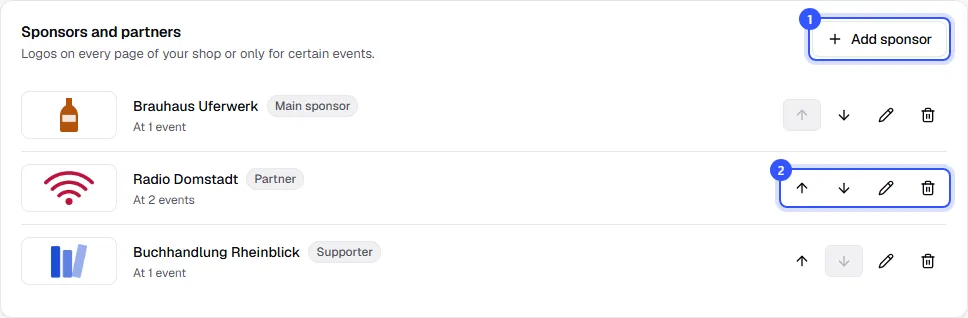
- Click Add sponsor.
- Use the arrows next to a sponsor to change the order and the pencil to edit it. Below the name you see where it currently appears.
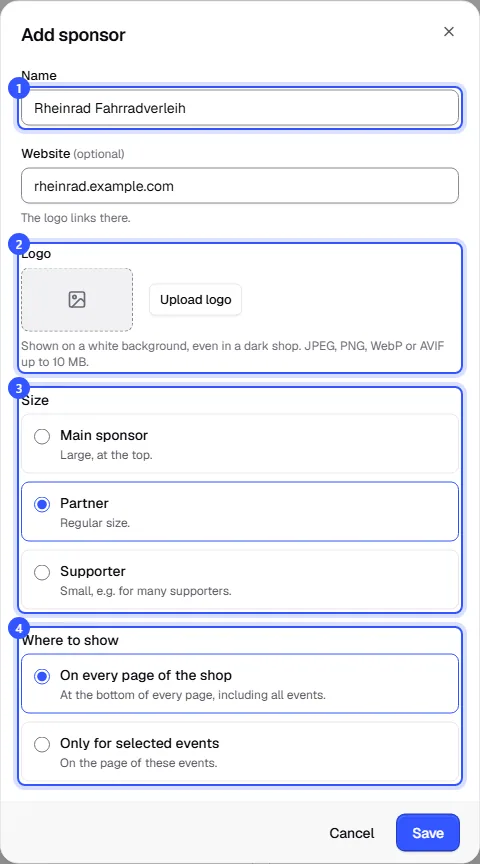
In the dialog, enter:
- Name and, if you like, the Website. The logo links there.
- Logo: The logo always sits on a white plate, even in the dark shop. Without a logo, the shop shows the name as a wordmark.
- Size: How large the sponsor appears (see the table).
- Where to show: On every page of the shop or Only for selected events, then tick the events.
Click Save.
| Size | Space in the shop | Heading in the shop |
|---|---|---|
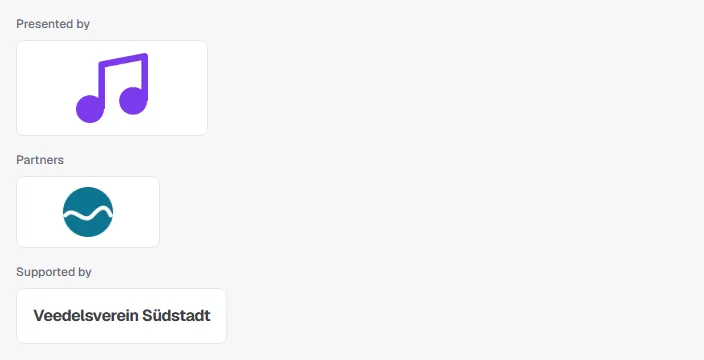
| Main sponsor | Large, at the top. | Presented by |
| Partner | Regular size. | Partners |
| Supporter | Small, e.g. for many supporters. | Supported by |
How buyers see your sponsors
Sponsors for every page appear at the bottom of each shop page, above the footer. Sponsors of individual events appear on those events' pages. Within each size, your order applies. On phones, buyers can swipe through the logos.
Tickets show the event's sponsors and those for every page, main sponsors first, up to eight.
Common questions
Why does a sponsor say it isn't shown anywhere?
It's set to appear for selected events, but no event is currently selected. Edit it and choose an event or On every page of the shop.
Which logo format works best?
JPEG, PNG, WebP or AVIF, ideally a wide logo with a transparent or white background. The plate is twice as wide as it is tall, and the logo is fitted inside.
Do sponsors show up on my drafts?
Buyers only see sponsors on published events. So you can set sponsors up before you publish the event.